TxHelpdesk

  • Login
  • Submit a Ticket
  • Knowledge Base
© 2026 TxHelpdesk
Knowledge Base
  • Knowledge Base
  • TxContact App
  • How to check agent Detai…
How to check agent Details in TxContact App
0 recommendations  | 1181 views

To check agent details in the TxContact App:

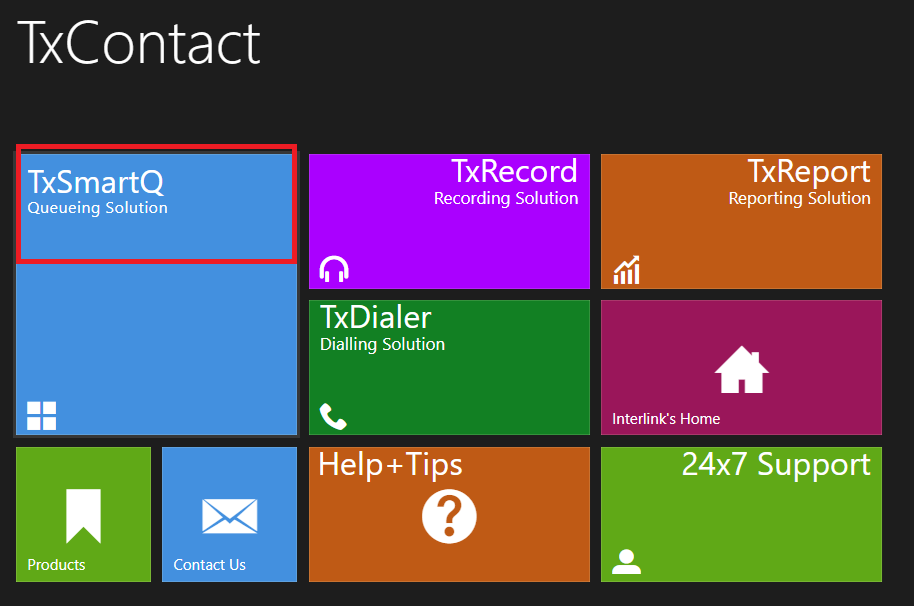
  1. Click on SmartQ as shown in the image below and log in.


       2. After a successful login, switch to your desired tenant.

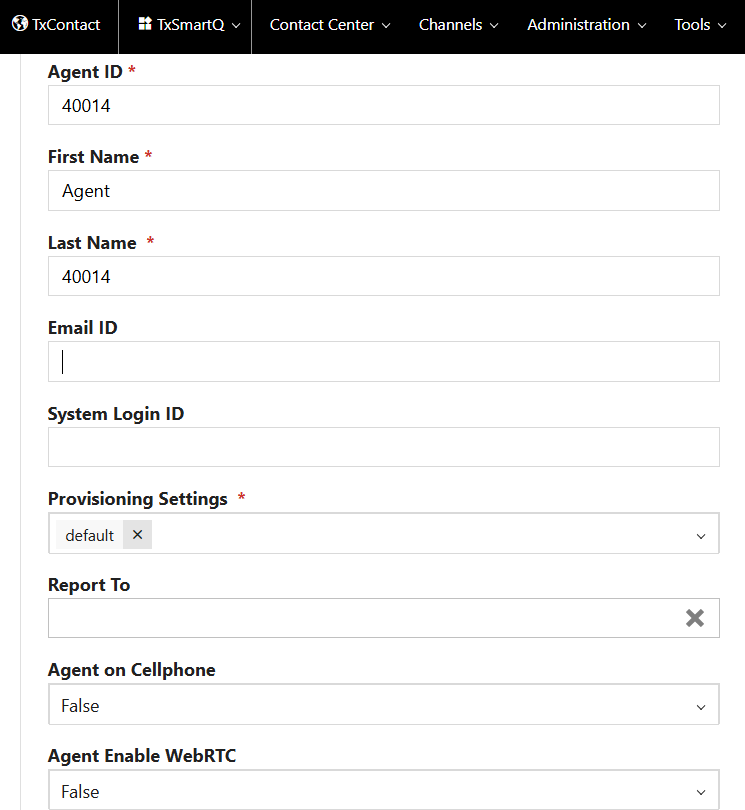
       3. Navigate to: Contact Center → Agents → Select the desired agent name

You will then be able to view details such as the agent’s ID, agent, name, and email ID.
Did you find it helpful?
Share
Other TxContact App Articles
  • How to solve Token Expired error?
  • Connectivity Issue
  • Provisioning Failed
  • Agent Not Part of Queue
  • Why do we get Unauthorized User / Tenant not…
Categories
  • C - Tools
  • Chirp
  • CRM Integrations
  • Drawflow
  • General
  • Headset troubleshooting
  • TxChat
  • TxContact
  • TxContact App
  • TxDialer
  • TxHelpdesk
  • TxRecord
  • TxReport
  • TxScreenCapture
  • TxSmartQ
  • TxTalk
  • TxTalk Web
  • User Manual
  • Zoho