How to disable the Google Chrome Restrictions ?
This Knowledge Base article (KB) explains how to remove Google Chrome restrictions that block the Zoho Click-to-Call feature, ensuring calls can be launched directly from the browser without interruption when the agent’s Chirp application is running in the background with the appropriate state such as “Ready for Call” or “Outbound.”
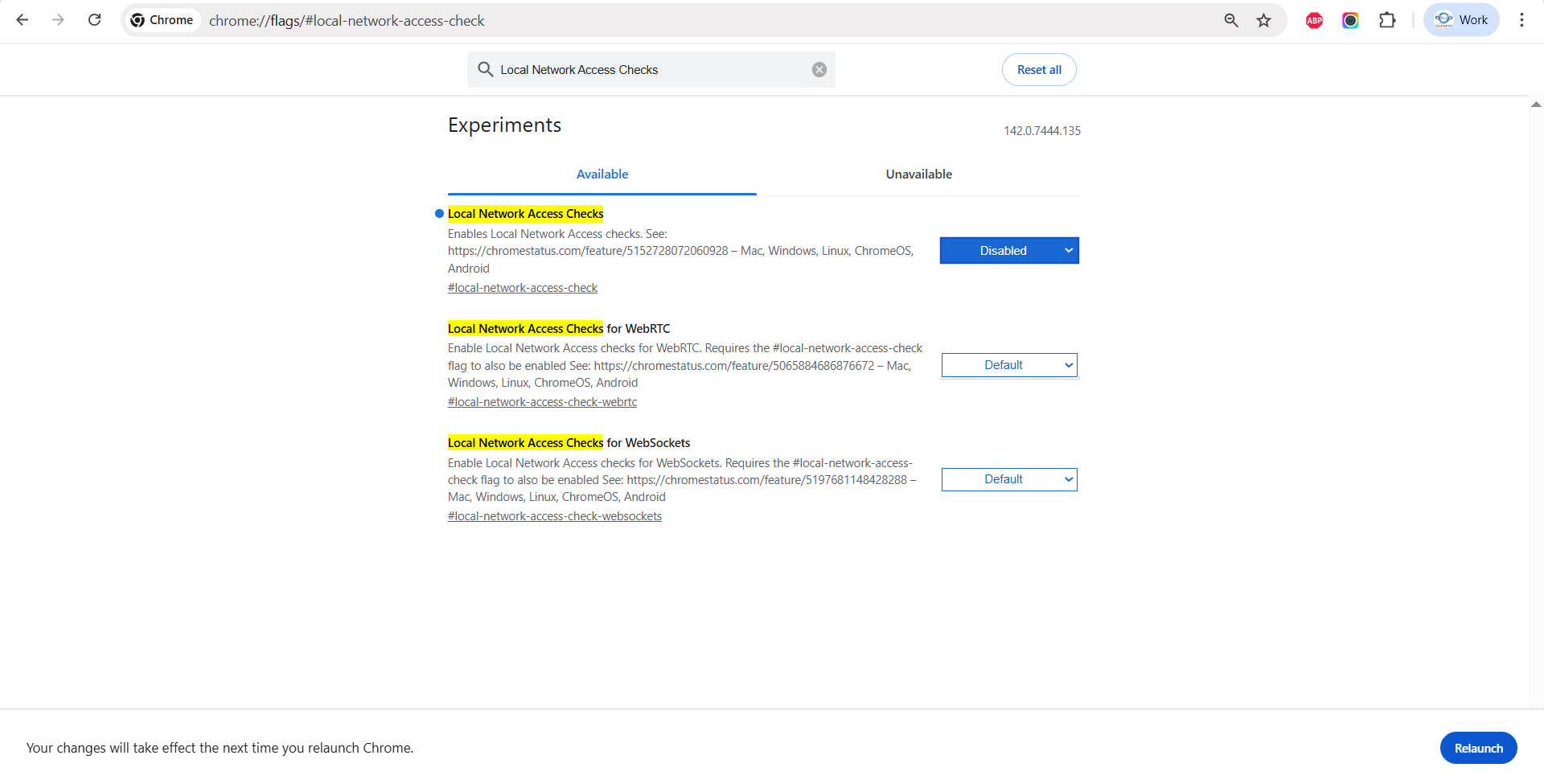
Step 1: Open Google Chrome and enter the following URL in the address bar:
chrome://flags/#local-network-access-check
(Refer to the screenshot below.)

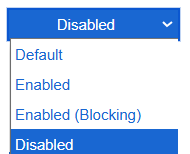
Step 2: Set the option to Disabled (as shown in the screenshot).
Step 3: Click Relaunch at the bottom right corner to apply the changes.
Did you find it helpful?