TxHelpdesk

  • Login
  • Submit a Ticket
  • Knowledge Base
© 2025 TxHelpdesk
Knowledge Base
  • Knowledge Base
  • TxDialer
  • How to configure dialing…
How to configure dialing calls through GSM and Jio?
0 recommendations  | 37 views

There are two available methods to dial outbound calls from the campaign:

  1. Through GSM

  2. Through Jio


1. Dialing Through GSM

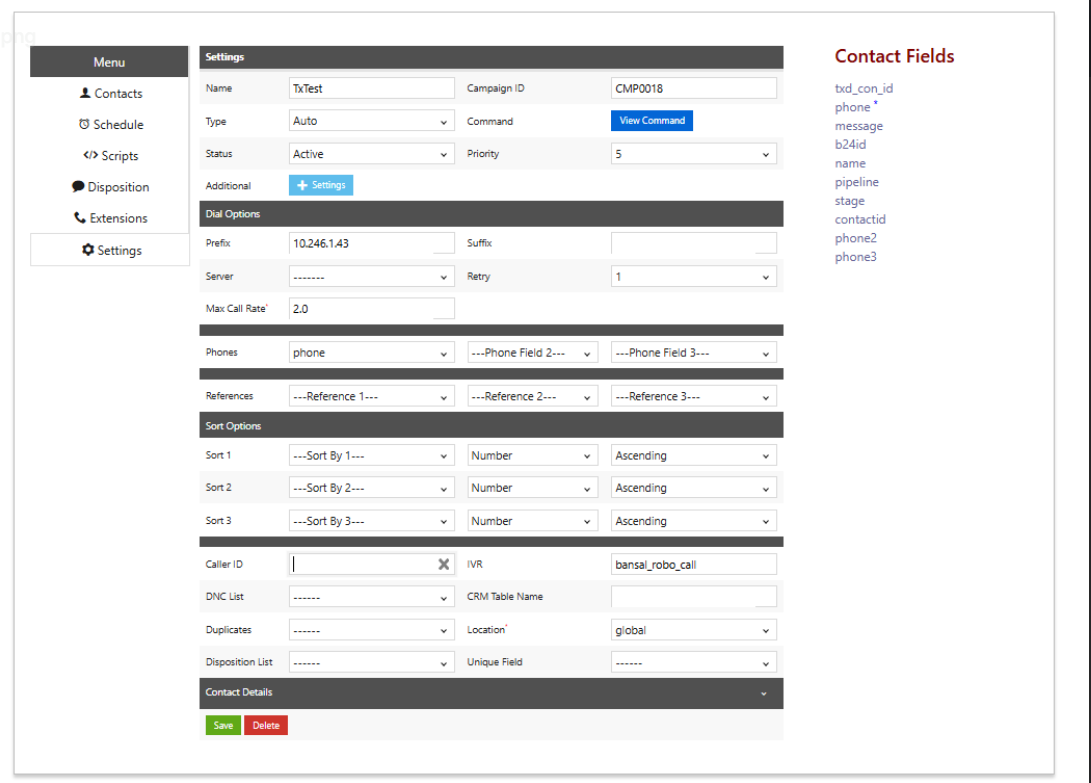
To route outbound calls via GSM, follow the steps below:

  • GSM IP: 10.246.1.43

  • In the Campaign Settings page, configure the Prefix as:
    10.246.1.43

  • Caller ID: Leave this field blank for GSM.

    Note: Caller ID is not mandatory when dialing through GSM.


2. Dialing Through Jio

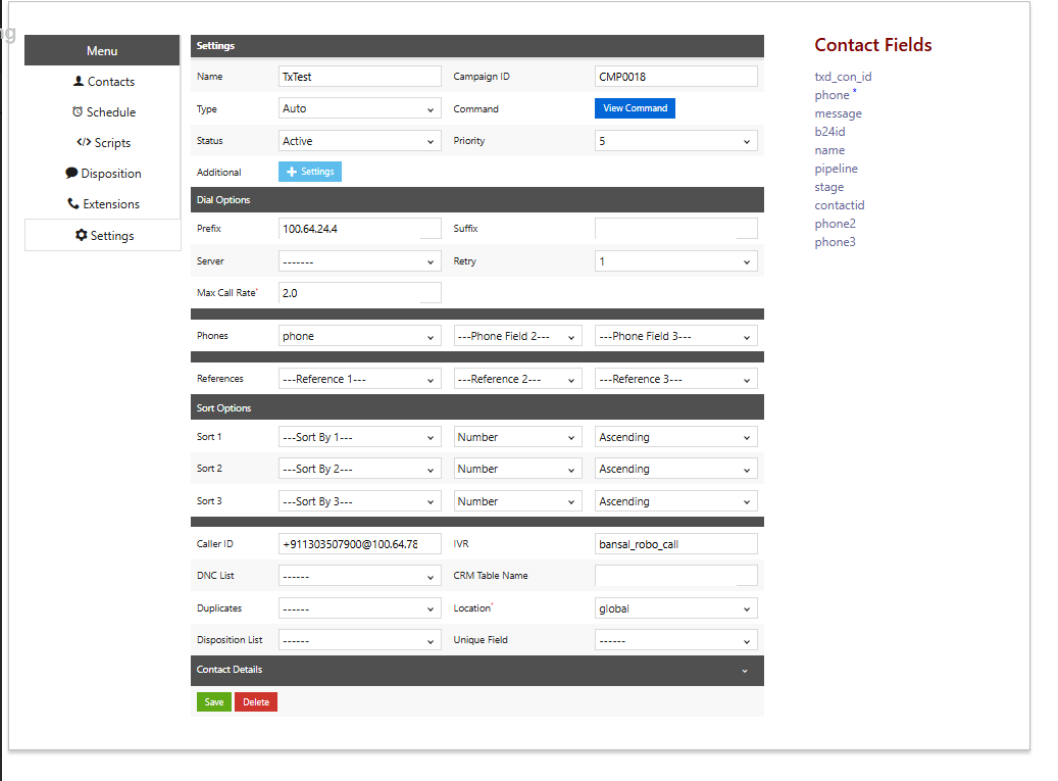
To route outbound calls via the Jio network, use the details below:

  • Jio IP: 100.64.24.4

  • In the Campaign Settings page, configure the Prefix as:
    100.64.24.4

  • Caller ID must be set to:
    +911303507900@100.64.78.238

    Note: Caller ID is mandatory for Jio outbound dialing.


Did you find it helpful?
Share
Other TxDialer Articles
  • How to add contacts to the DNC registry?
  • What are the different modes of Dialling?
  • How to achieve auto rechurn?
  • How to improve connect rates / productivity ?
  • How to fix when CRM disposition fails?
Categories
  • C - Tools
  • Chirp
  • CRM Integrations
  • General
  • Headset troubleshooting
  • TxChat
  • TxContact App
  • TxDialer
  • TxHelpdesk
  • TxRecord
  • TxReport
  • TxScreenCapture
  • TxSmartQ
  • TxTalk
  • TxTalk Web
  • User Manual