How to Create a User in TxSmartQ
In TxContact, users are assigned roles to ensure security and efficiency. Each role defines what actions the user can perform and what data they can access.
Steps to be followed while creating the user in SmartQ
Home → Administration → Users→ Add New User
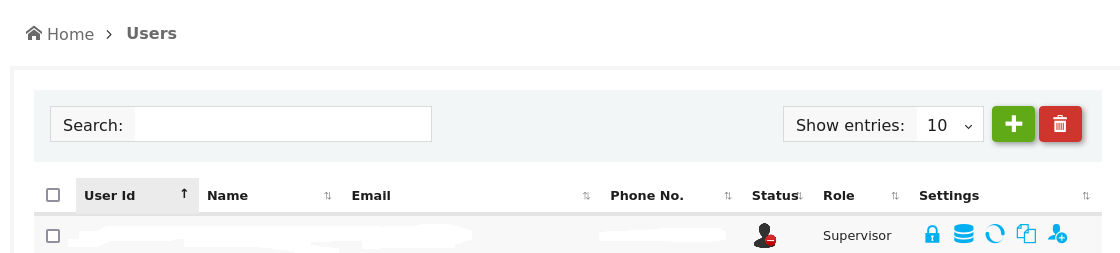
This page lets you to view all the users. It also allows to add new user or modify existing user details.
Click on the (Add User icon) at the top right end of the table on the Users page. It can also be accessed from the Home page.
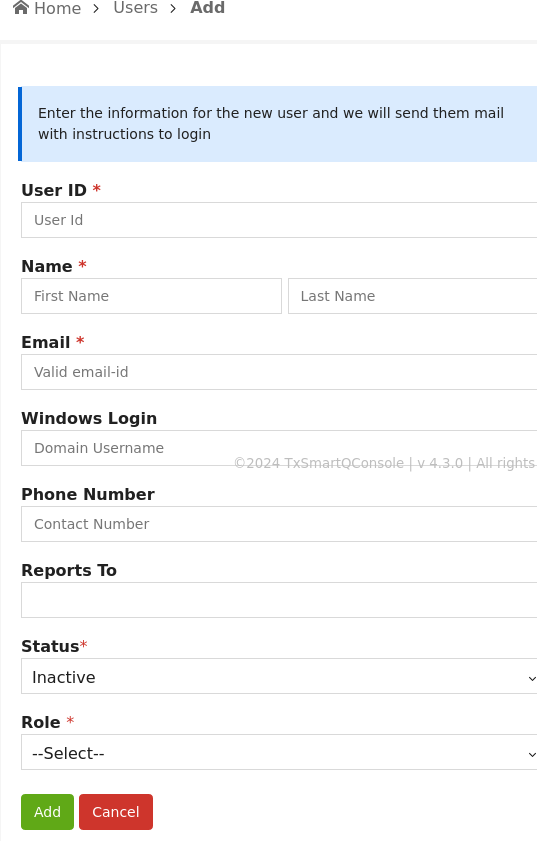
Enter all the details and click on ‘Add’ button
Windows login. - If the user has a Windows NT ID as abc@xyz, then configure the Windows Login field value as abc.
Roles are allowed for user:
1. Admin : This user will have access to only his Tenant and can add/delete/edit Users, Queues, Agents etc of his Tenant.
2. Supervisor : This user will have access to some features which the Admin assigns him.
3. API User : API user is a special user account that allows integration with third-party applications
Click on "ADD" to create a user.
How to provide permissions to supervisor account?
This page lets you to view all the users with supervisor role and admin role.. Please click on  User access control
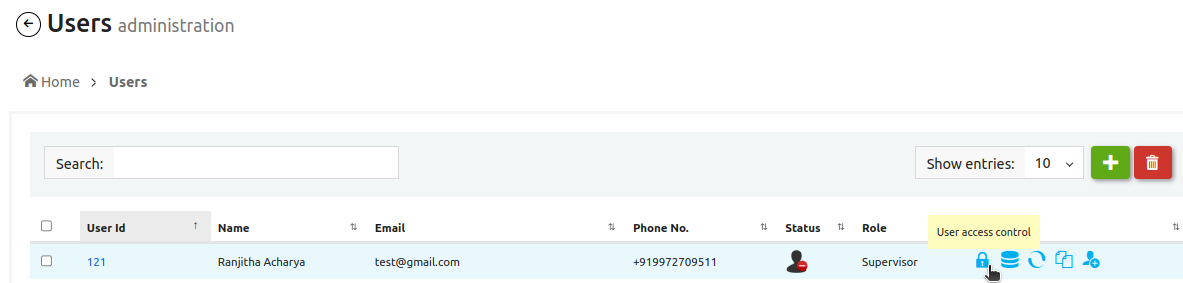
Any user with an admin role can provide access to the supervisor through the User Access Control page on TxSmartQ under the sections provided. For example:- If the supervisor needs access to view agent details or edit agent or add agent , Admin user can click on Agent section in User Access Control page, check the required box and click on Update permissions.
