How to do Rechurn using Filtered Action
The Filtered Action icon in the Dialer is used to filter campaign contacts based on specific conditions so that only the required records are displayed or processed. This helps supervisors and admins manage dialing more efficiently and target the correct set of contacts.
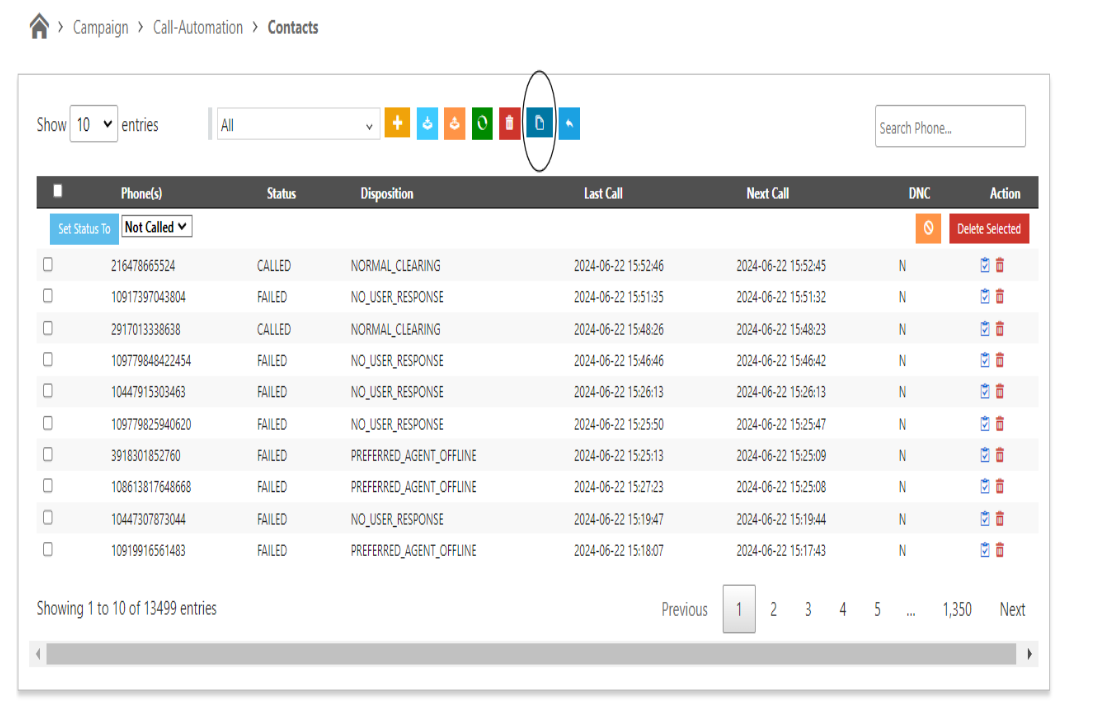
1. Click on the Filtered action icon on the Campaign contact page.
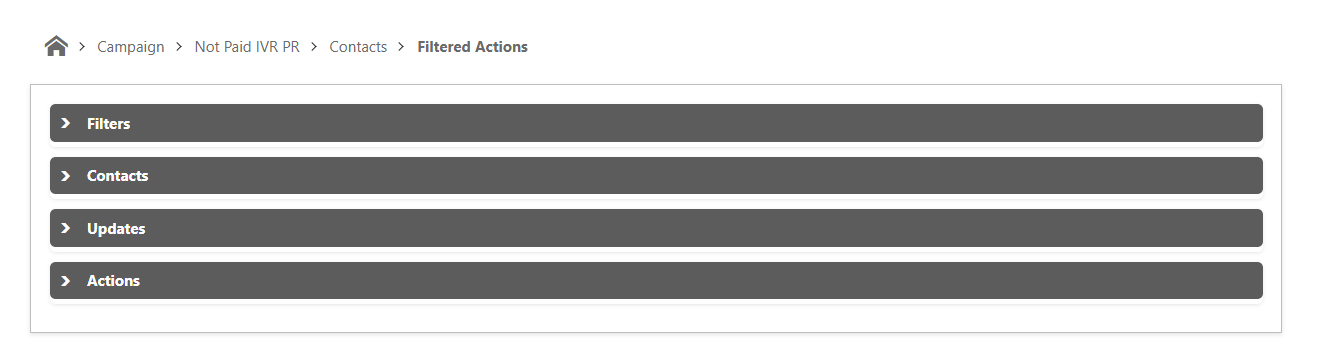
2. The Filtered Action panel is divided into four main sections, each serving a specific purpose in managing and refining campaign contacts.
- Filters
-Contacts
- Updates
- Action
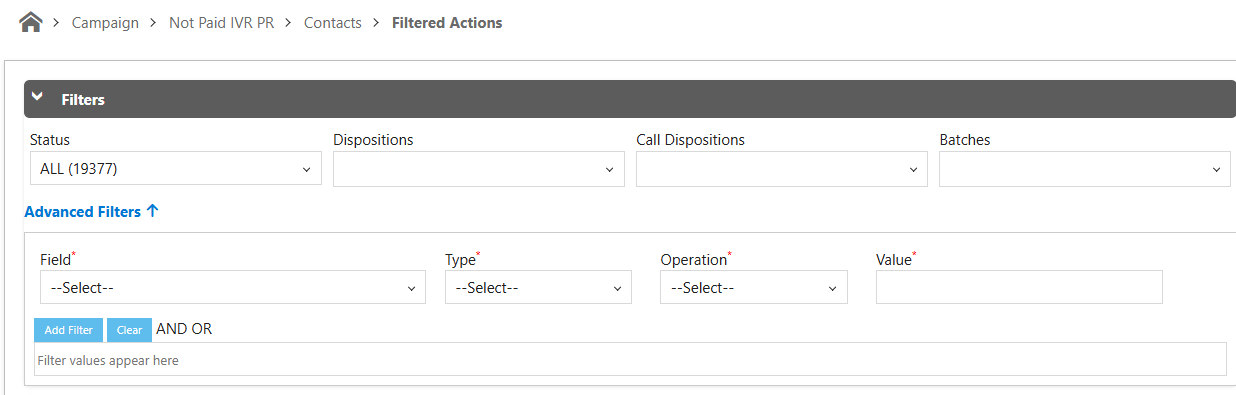
3. Filters
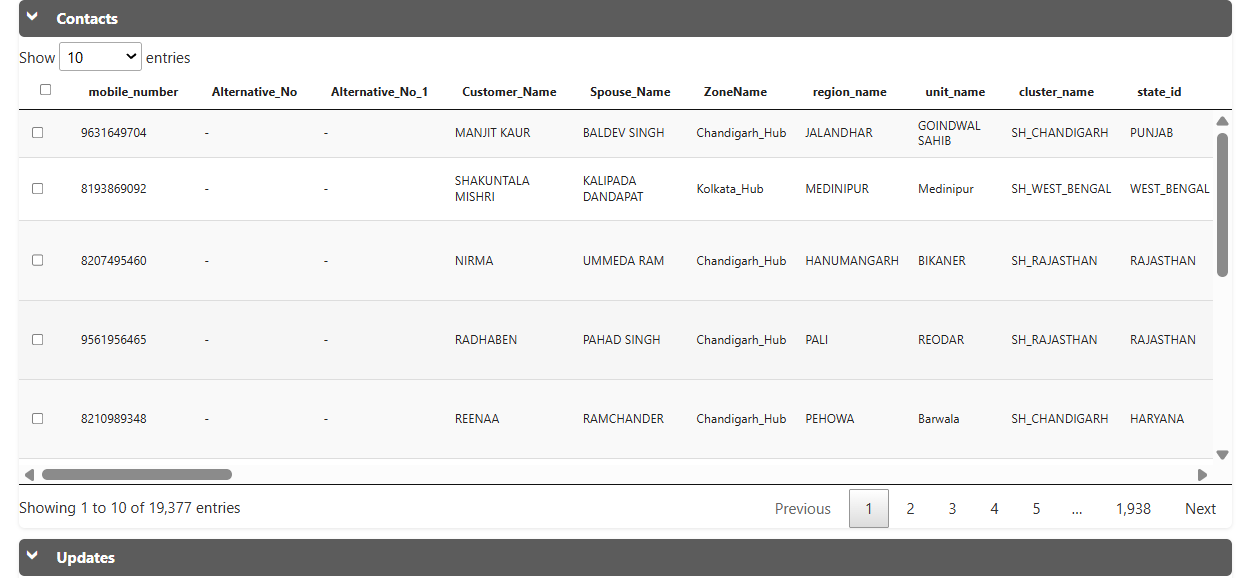
4. Contacts.
Based on the Applied filter in the Filter section all the contacts will show in the Contact sector
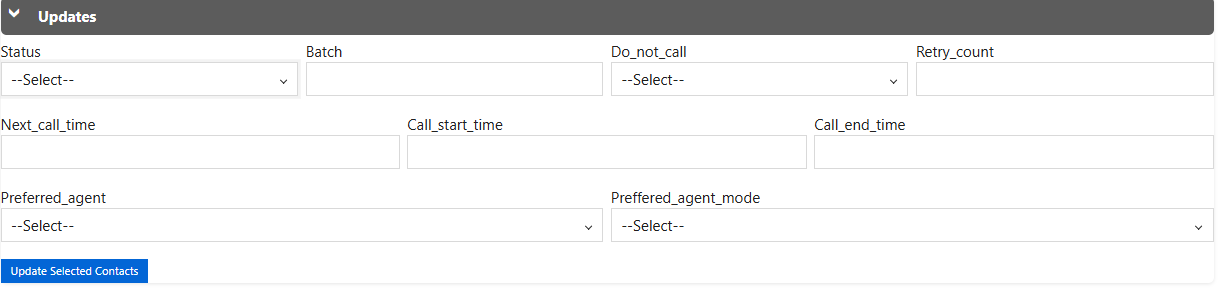
5. Updates
This Update component will updates the sleceted conatcts based on different filters.
6. To perform rechurn : Go to Action section:
select "rechurn"

1. Click on the Filtered action icon on the Campaign contact page.
2. The Filtered Action panel is divided into four main sections, each serving a specific purpose in managing and refining campaign contacts.
- Filters
-Contacts
- Updates
- Action
3. Filters
-
Select Status
Choose the required call status. The Filtered Action option will appear at the bottom once a valid status is selected. -
Choose Dispositions / Call Dispositions / Batches
-
Select the required Disposition or Call Disposition.
-
From the Batches dropdown as show in screenshot
-
Verify that the Filtered Action option is enabled.
-
-
Add Field-Based Filters (advanced filters)
-
Select the Field, Type, Operation, and enter the Value.
-
Click on Add Filter to apply the condition.
-
4. Contacts.
Based on the Applied filter in the Filter section all the contacts will show in the Contact sector
5. Updates
This Update component will updates the sleceted conatcts based on different filters.
6. To perform rechurn : Go to Action section:
select "rechurn"
This moves the filtered contacts back into the dialing cycle so they can be attempted again.
Used when:
Contacts need to be re-called
Attempts must be reset
Records should re-enter the queue
Just Click on "Rechurn" option to perform the action.
Did you find it helpful?