How to Run Scripts To Do Ping Test to Servers - Windows 10 and Above - DS
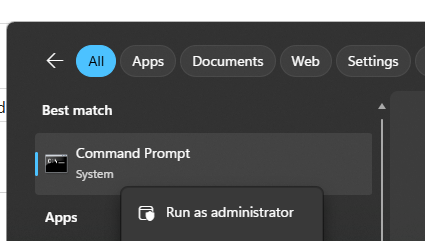
1: Open CMD as an Administrator
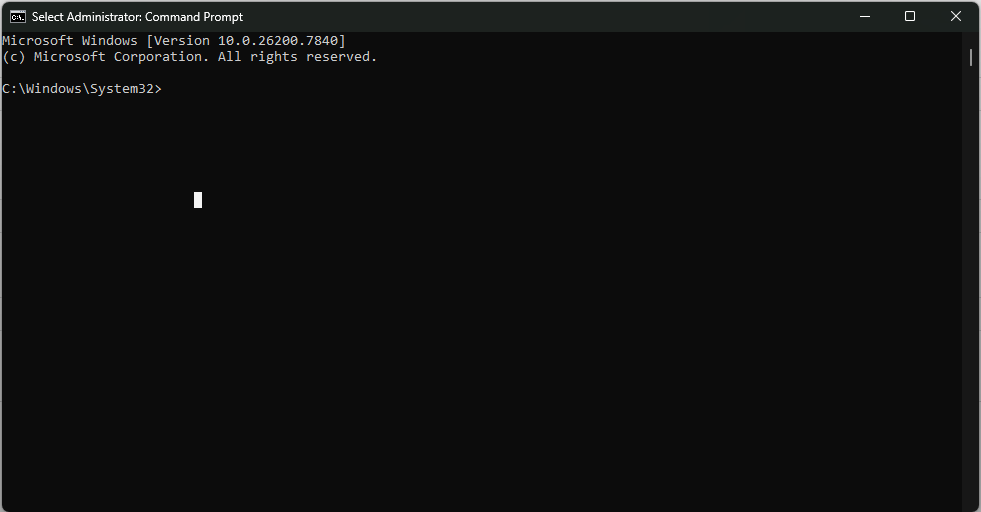
2: Download zip file containg script using running below command in CMD
curl -o txcontact_monitor_script.zip https://amber.txcontact.com/txcontact_monitor_script.zip
3: Extract the ZIP file.
tar -xf txcontact_monitor_script.zip
4: Change directory into the script folder.
cd txcontact_monitor_script
5: Run install_ping_monitor script
install_ping_monitor.bat
Restart the machine once script is run.
This script will create a task scheduler which runs ping_monitor.bat as soon as machine is restarted. ping_monitor.bat script will create 3 files in C:\Windows\Temp\TxContactPingLogs.
Those files are:
a: <curent_date>_ds_tnx_svr1_txcontact_com.txt
b: <curent_date>_google_com.txt
c: <curent_date>_amber_txcontact_com.txt
These files can be analysed to check if the issue was created by Agent's Internet/VPN problem/Server Problem.
Steps to check if log files are created :
1. Open File Explorer
2. Navigate to the following path:
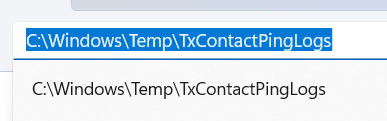
C:\Windows\Temp\TxContactPingLogs
3. Check if the following files exist for today’s date:
<current_date>_ds_tnx_svr1_txcontact_com.txt
<current_date>_google_com.txt
<current_date>_amber_txcontact_com.txt

If log files are NOT found, follow these steps:
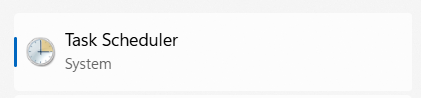
1. Open Task Scheduler in your system
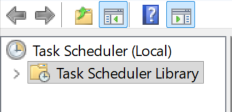
2. Click on Task Scheduler Library (top-left panel)
3. Look for the following scripts and check for their status, if it is in ready status (as shown in below screenshot):
TxcontactNetworkPingMonitor_OnLogon
TxcontactNetworkPingMonitor_OnStart
TxcontactNetworkPingMonitor_OnWake

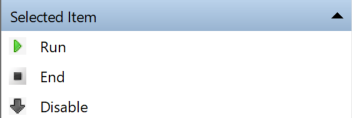
4. For mentioned 3 scripts, Click on the each script and hit Run button (right-side panel)

5. After running the tasks, Go back to:
C:\Windows\Temp\TxContactPingLogs
6. Check again if the log files are created
Run the below commands if you want to discontinue the ping test scripts, has to be run in Administartor CMD.
schtasks /delete /tn "TxContactNetworkPingMonitor_OnStart" /f
schtasks /delete /tn "TxContactNetworkPingMonitor_OnLogon" /f
schtasks /delete /tn "TxContactNetworkPingMonitor_OnWake" /f
schtasks /delete /tn "TxContactNetworkPingMonitorOnAwake" /f
schtasks /delete /tn "TxContactNetworkPingMonitorOnRestart" /f
schtasks /delete /tn "TxContactNetworkPingMonitor" /f
2: Download zip file containg script using running below command in CMD
curl -o txcontact_monitor_script.zip https://amber.txcontact.com/txcontact_monitor_script.zip
3: Extract the ZIP file.
tar -xf txcontact_monitor_script.zip
4: Change directory into the script folder.
cd txcontact_monitor_script
5: Run install_ping_monitor script
install_ping_monitor.bat
Restart the machine once script is run.
This script will create a task scheduler which runs ping_monitor.bat as soon as machine is restarted. ping_monitor.bat script will create 3 files in C:\Windows\Temp\TxContactPingLogs.
Those files are:
a: <curent_date>_ds_tnx_svr1_txcontact_com.txt
b: <curent_date>_google_com.txt
c: <curent_date>_amber_txcontact_com.txt
These files can be analysed to check if the issue was created by Agent's Internet/VPN problem/Server Problem.
Steps to check if log files are created :
1. Open File Explorer
2. Navigate to the following path:
C:\Windows\Temp\TxContactPingLogs
3. Check if the following files exist for today’s date:
<current_date>_ds_tnx_svr1_txcontact_com.txt
<current_date>_google_com.txt
<current_date>_amber_txcontact_com.txt
If log files are NOT found, follow these steps:
1. Open Task Scheduler in your system
2. Click on Task Scheduler Library (top-left panel)
3. Look for the following scripts and check for their status, if it is in ready status (as shown in below screenshot):
TxcontactNetworkPingMonitor_OnLogon
TxcontactNetworkPingMonitor_OnStart
TxcontactNetworkPingMonitor_OnWake
4. For mentioned 3 scripts, Click on the each script and hit Run button (right-side panel)
5. After running the tasks, Go back to:
C:\Windows\Temp\TxContactPingLogs
6. Check again if the log files are created
Run the below commands if you want to discontinue the ping test scripts, has to be run in Administartor CMD.
schtasks /delete /tn "TxContactNetworkPingMonitor_OnStart" /f
schtasks /delete /tn "TxContactNetworkPingMonitor_OnLogon" /f
schtasks /delete /tn "TxContactNetworkPingMonitor_OnWake" /f
schtasks /delete /tn "TxContactNetworkPingMonitorOnAwake" /f
schtasks /delete /tn "TxContactNetworkPingMonitorOnRestart" /f
schtasks /delete /tn "TxContactNetworkPingMonitor" /f
Did you find it helpful?