How to Reauthorize and Generate a New Token for a New User in TxContact and Zoho CRM Integration?
This article explains how to reauthorize the integration and generate a new token for a new user in TxContact and Zoho CRM. Reauthorization is required when a new user needs to be mapped to the TxContact system or when the existing integration token has expired, become invalid, or is linked to a different user. By revoking the existing connection and reconnecting it, a new secure token is generated for the selected user.
Steps to follow:
1: Open https://crm.zoho.com/crm/
2: Click on Tx_crm_conn
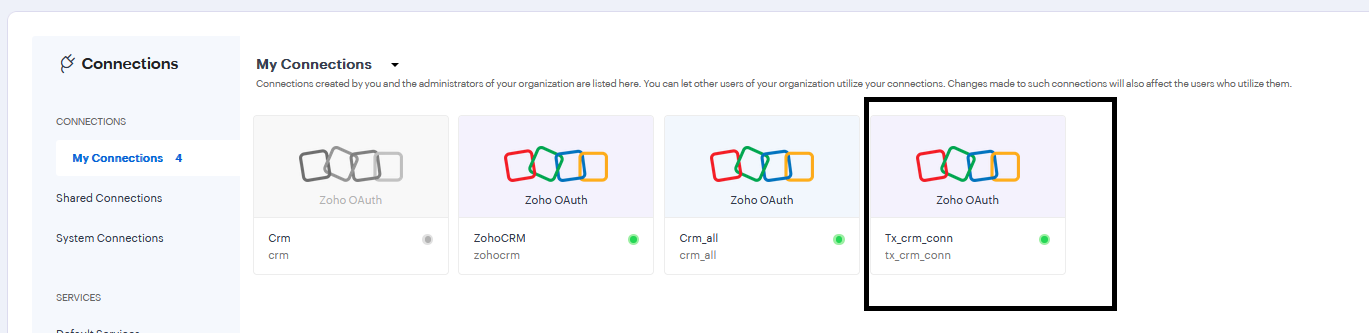
As highlighted in the image. (This is the connection used for TxContact–CRM integration). This will redirect to the notification as shown in below image.
3: Click on the Revoke button
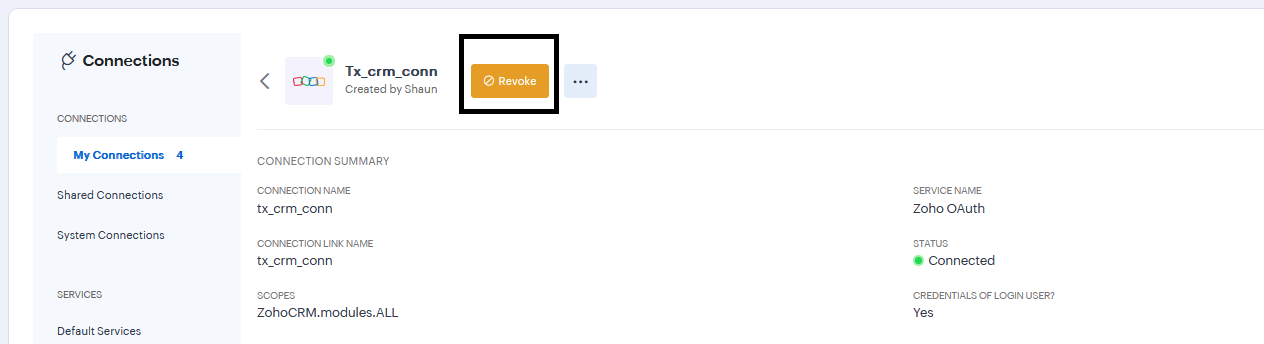
4: Confirm Revoke
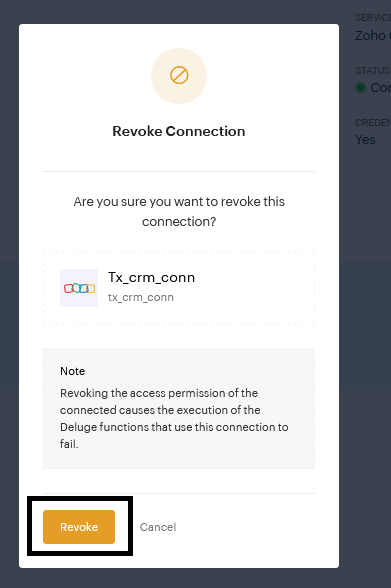
- Confirm the action by clicking on revoke button as highlighted in the image. This removes the old/invalid token linked to the previous or incorrect user.
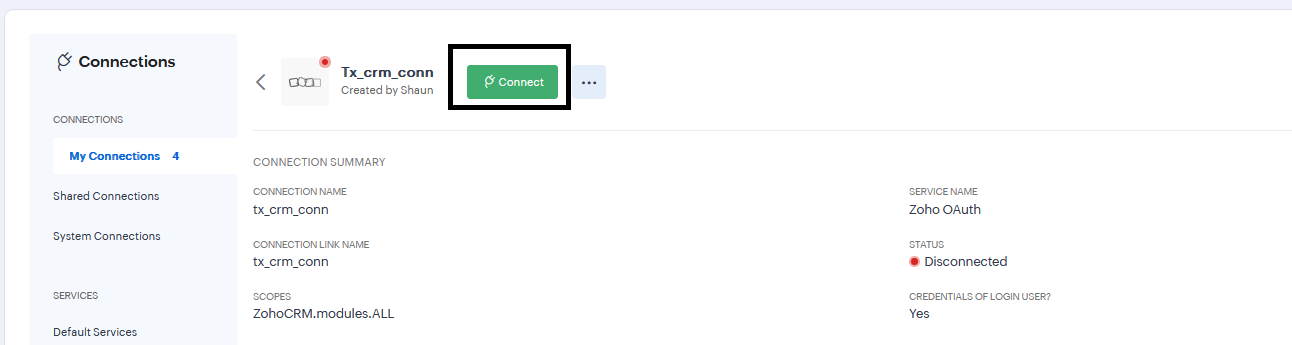
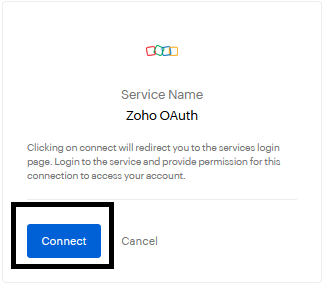
6: Confirm Connect action
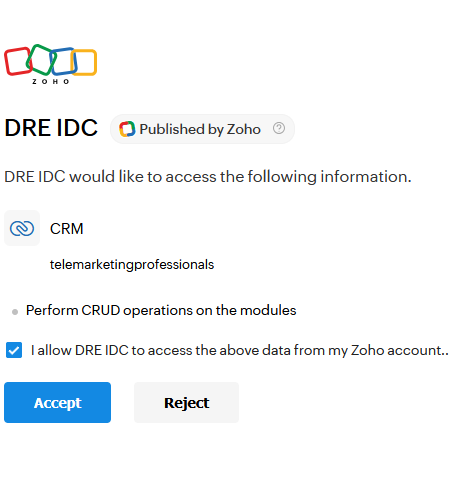
7: Give Permission by checking the checkbox, and click on Accept button.
Did you find it helpful?