Overview :
In some cases, voice transcripts may not appear in the CRM even though they are available in TxRecord. This article outlines the steps to troubleshoot the issue and ensure proper integration between TxContact and the CRM.
Debugging Steps :
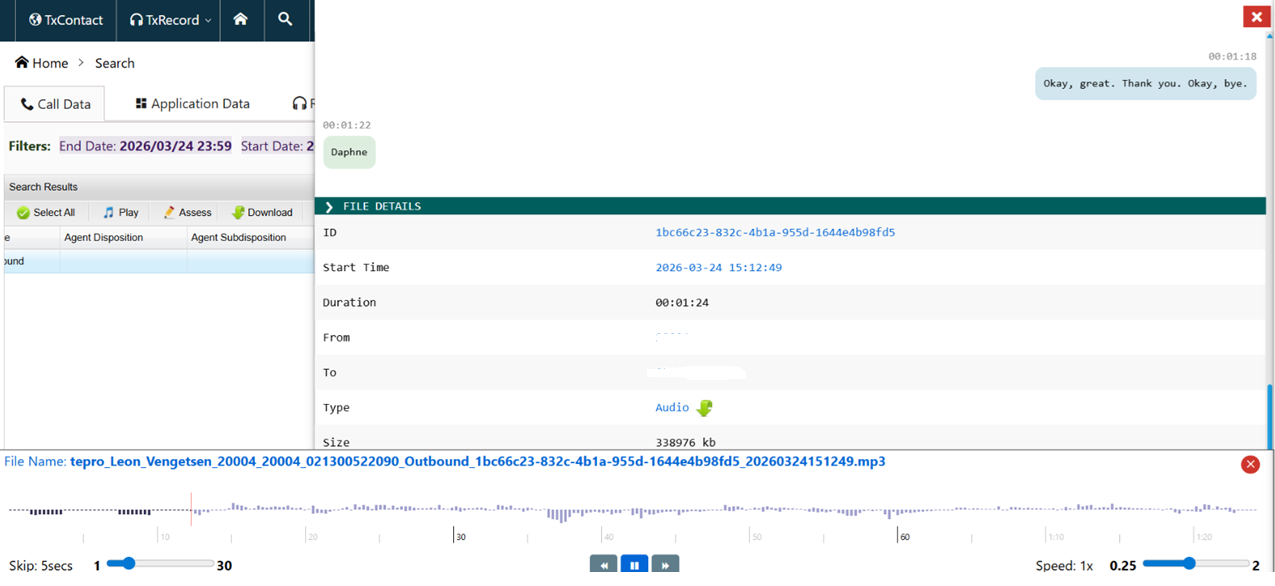
1. Verify Call Records in TxRecord
- Navigate to the TxRecord Listing Page.
- Search for the relevant call.
- Check whether the call recording and transcript are available.
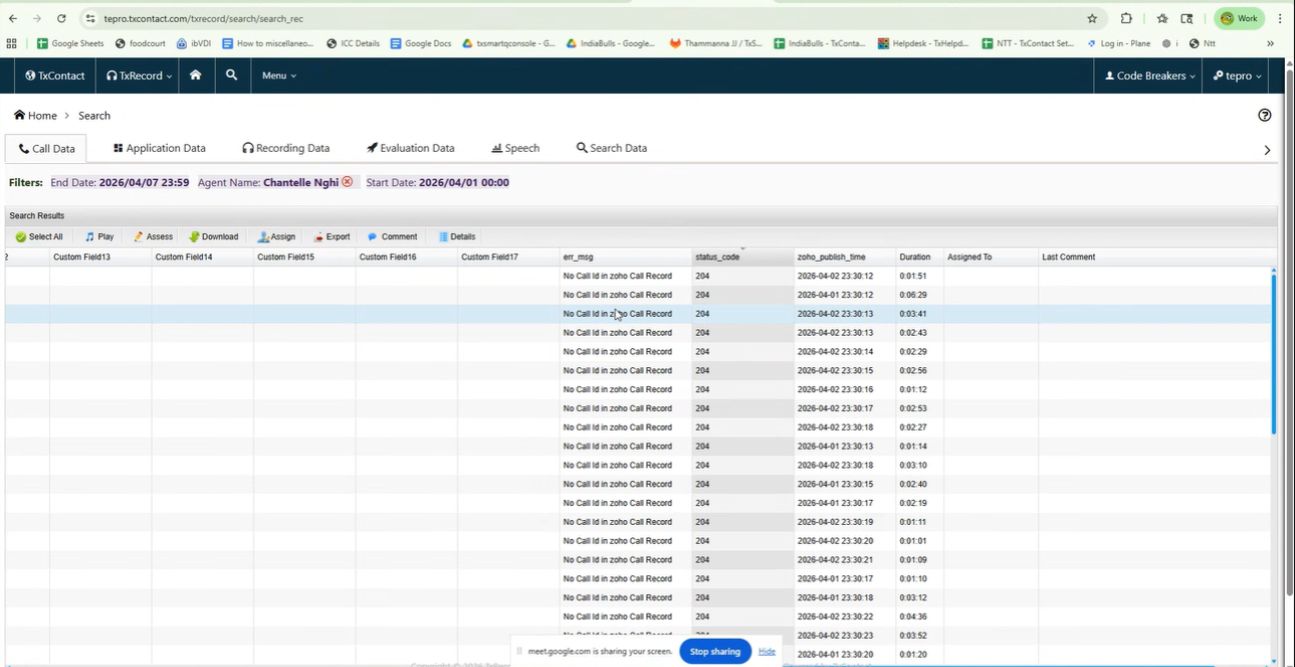
2. Check Status and Error Codes
- Review the Status Code and Error Code for the call.
- These codes can help identify if there are any issues with syncing data to the CRM.
- Refer to the attached screenshot for guidance.
Common Cause :
Agent Not Configured in CRM
- If the agent is not properly configured or authenticated in the CRM, transcripts may fail to sync.
Resolution :
Generate a New Token for the User
- Ensure that the user is properly authorized.
- Generate a new token for the user and reconfigure the integration.
Refer to the below KB article for detailed steps:
https://helpdesk.txcontact.com/kb/article/322-steps-to-reauthorize-and-generate-a-new-token-for-a-new-user-in-txcontact-and-zoho-crm-integration/
Conclusion :
By verifying the call details in TxRecord and ensuring proper CRM configuration with valid authentication tokens, the issue of missing voice transcripts in CRM can be resolved.