TxHelpdesk

  • Login
  • Submit a Ticket
  • Knowledge Base
© 2026 TxHelpdesk
Knowledge Base
  • Knowledge Base
  • TxSmartQ
  • How to Block Contacts fo…
How to Block Contacts for Inbound IVR Numbers
0 recommendations  | 54 views

Overview

This article explains the steps to block specific contact numbers from calling inbound IVR numbers by updating the DNC (Do Not Call) file in TxSmartQ.

Steps

1. Log in to TxSmartQ
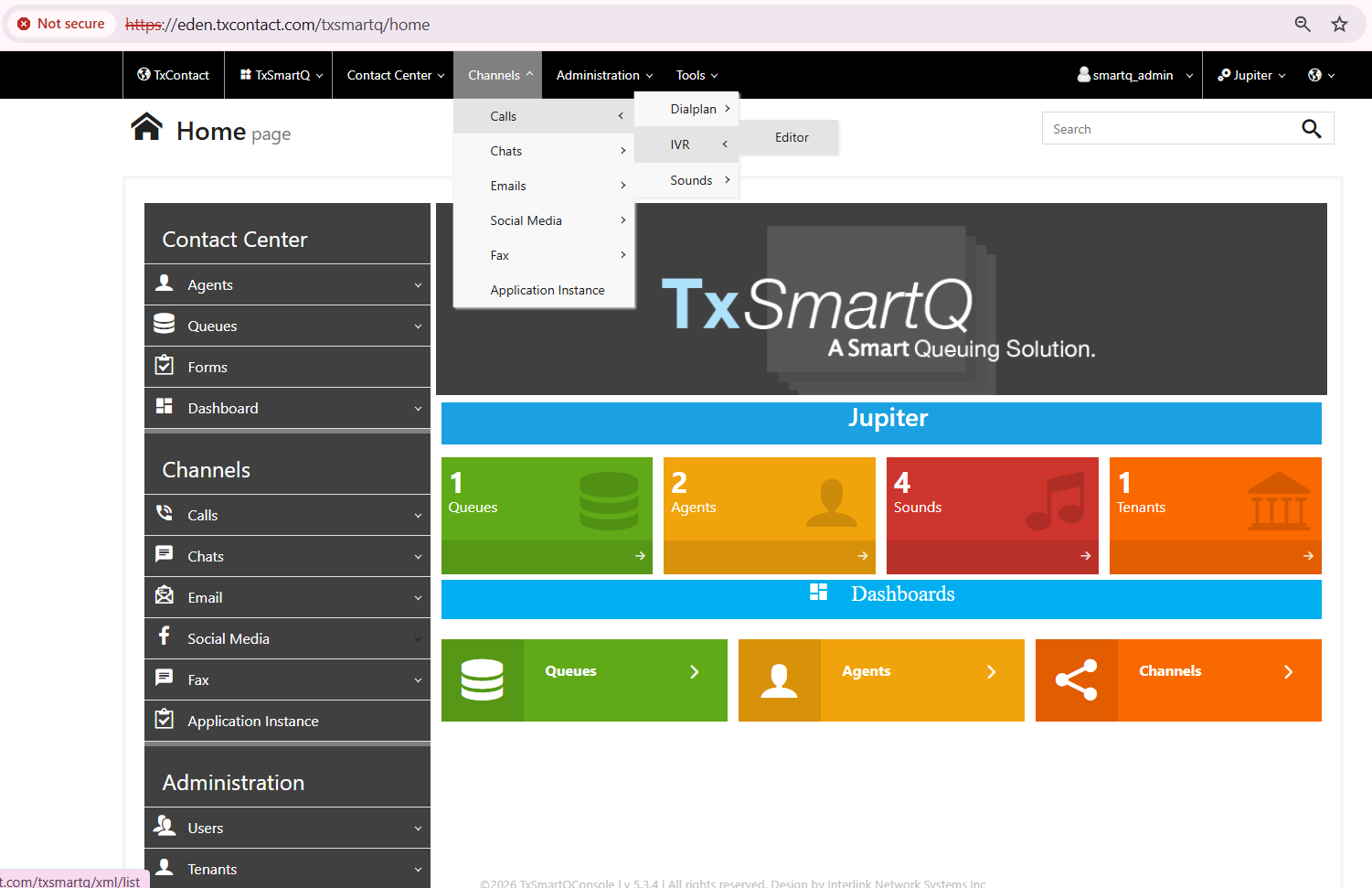
2. Navigate to: Channels → Calls → IVR → Editor


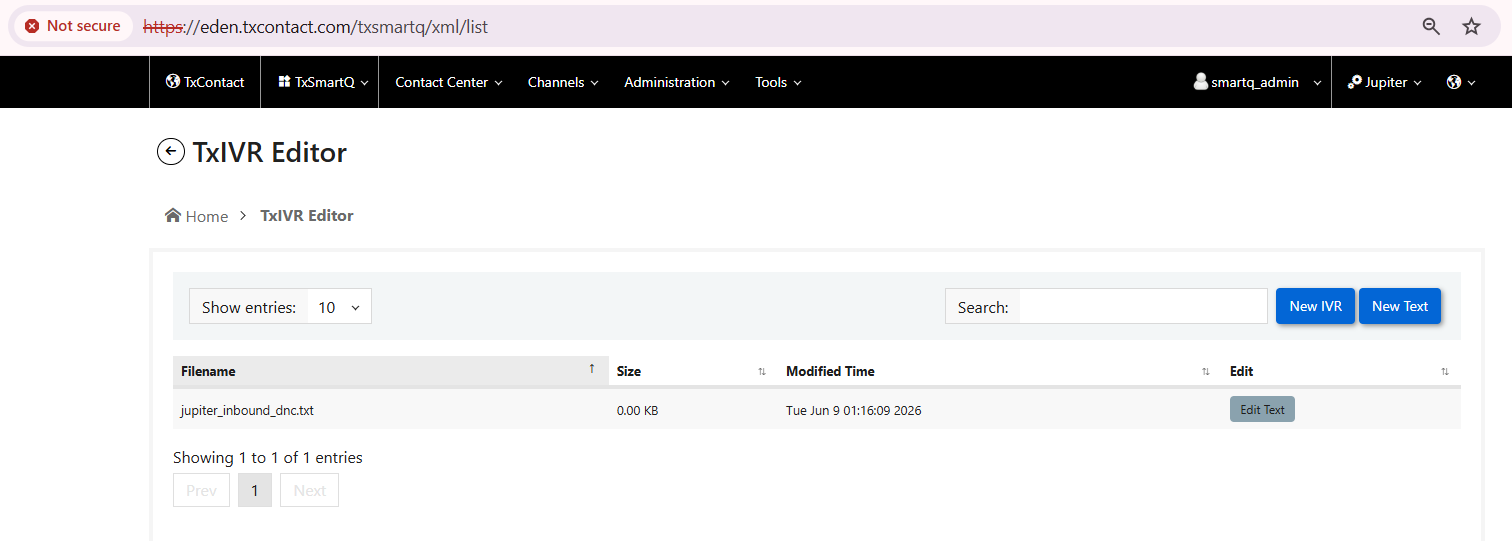
3. Open the DNC file (in .txt format)


4. Add the contact numbers that should be blocked from calling the inbound IVR numbers.

Note: For listing the numbers to be blacklisted, please enter one number per line without any special characters. Each number is entered on a new line.
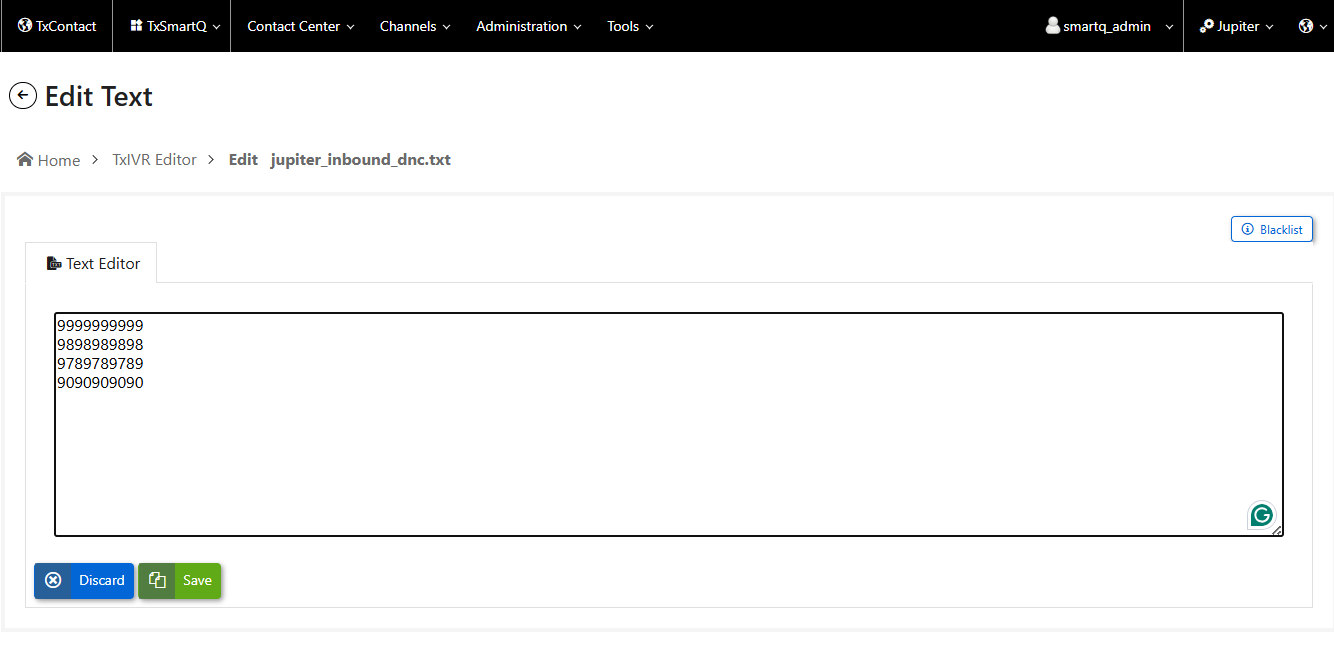


5. Click Save to apply the changes.
 
Did you find it helpful?
Share
Other TxSmartQ Articles
  • How to upload IVR files for Auto Dialer?
  • Queue Strategy?
  • Can we remote provisioning Linphone ?
  • How to delete an agent in TxSmartQ or remove…
  • How to change queue open/closed hours?
Categories
  • C - Tools
  • Chirp
  • CRM Integrations
  • General
  • Headset troubleshooting
  • TxChat
  • TxContact
  • TxContact App
  • TxDialer
  • TxHelpdesk
  • TxRecord
  • TxReport
  • TxScreenCapture
  • TxSmartQ
  • TxTalk
  • TxTalk Web
  • User Manual