How to Block Phone Numbers or Email Addresses Using Block List ?
Overview
This article explains how to add phone numbers or email addresses to the Block List in TxSmartQ. Contacts can be added either by importing data from an Excel file or by adding them individually.Steps
1. Log in to TxSmartQ.2. Navigate to: Administration → Block List
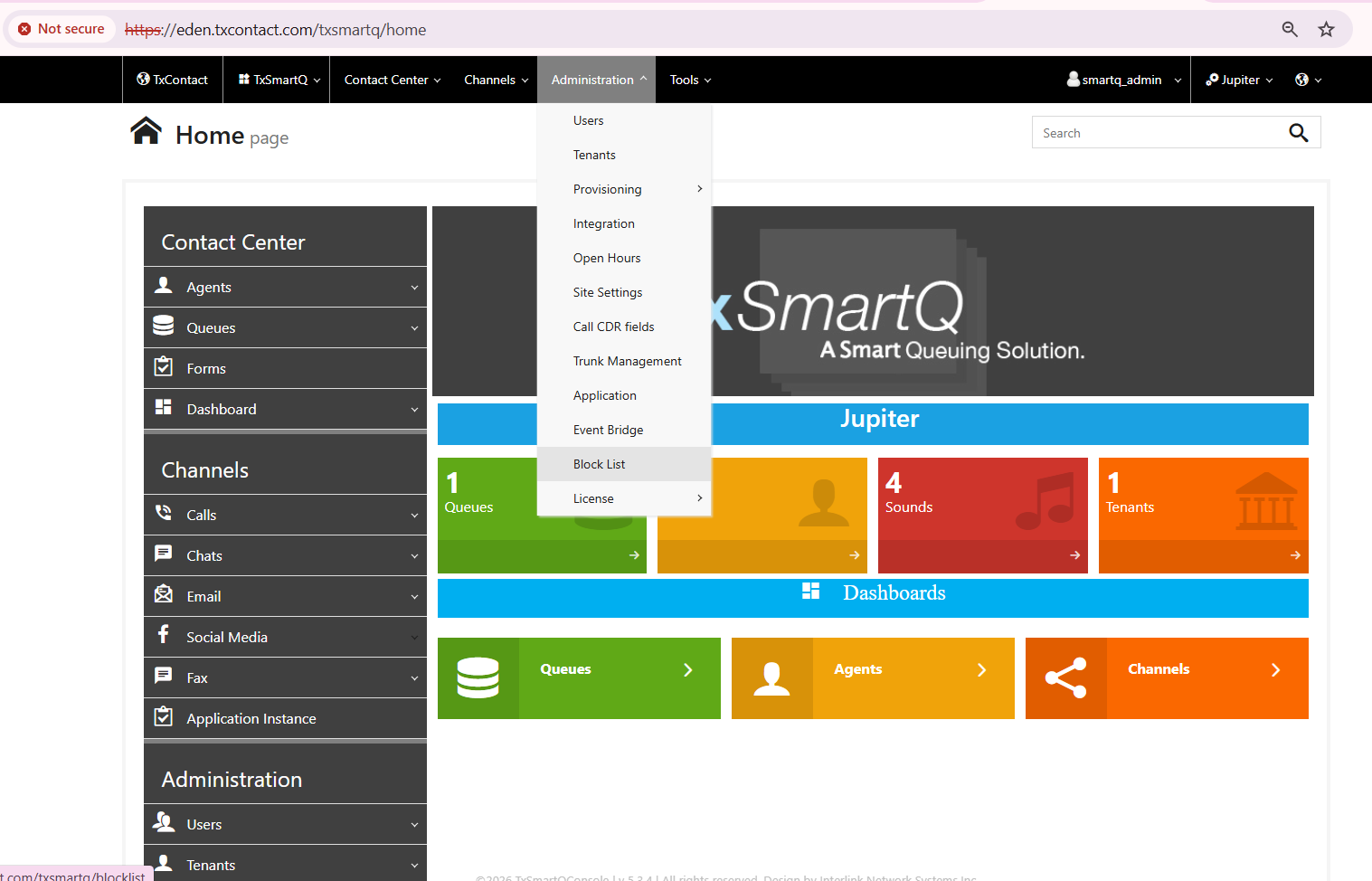
You can block using either of the following methods:
Method 1: Import Data from Excel
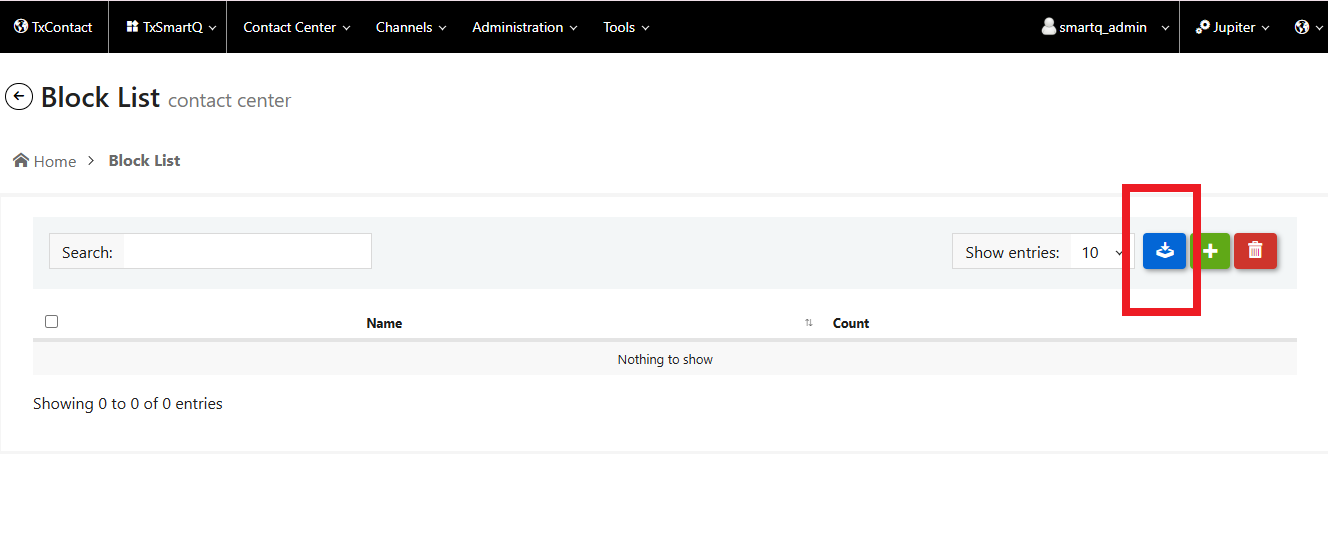
- Click Download Template to download the sample file format.
- Edit the downloaded template and add the phone numbers or email addresses that need to be blocked and save that file.
- Enter a List Name
- Click Choose File and select the updated template.
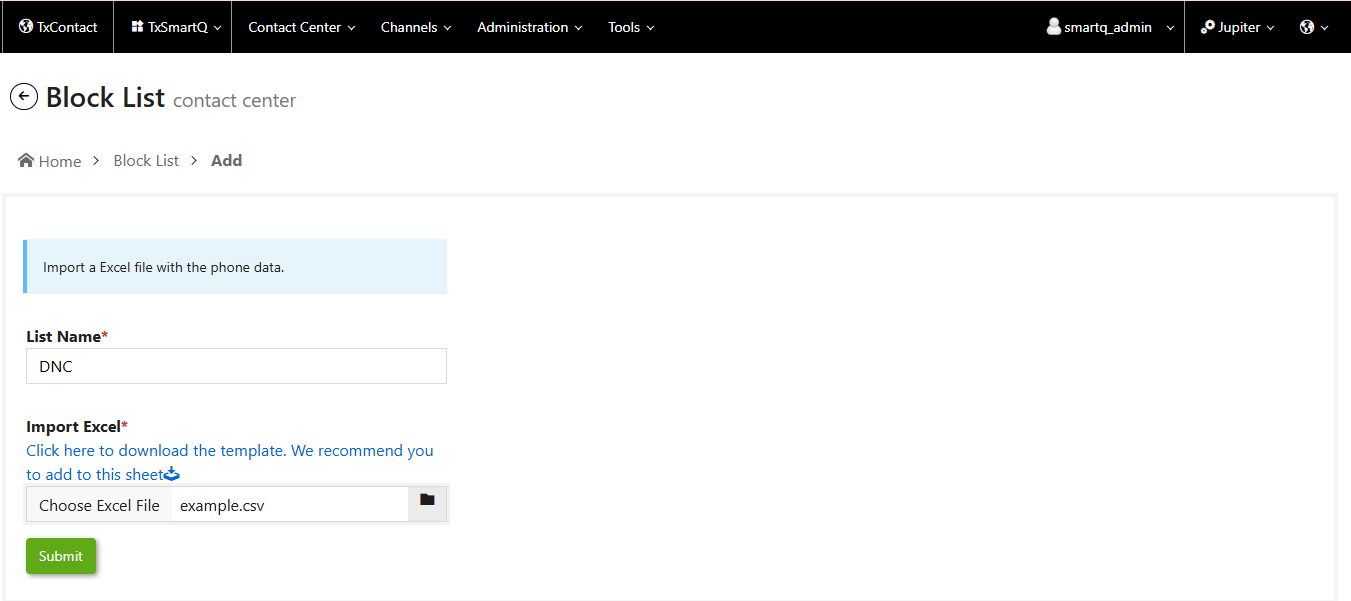
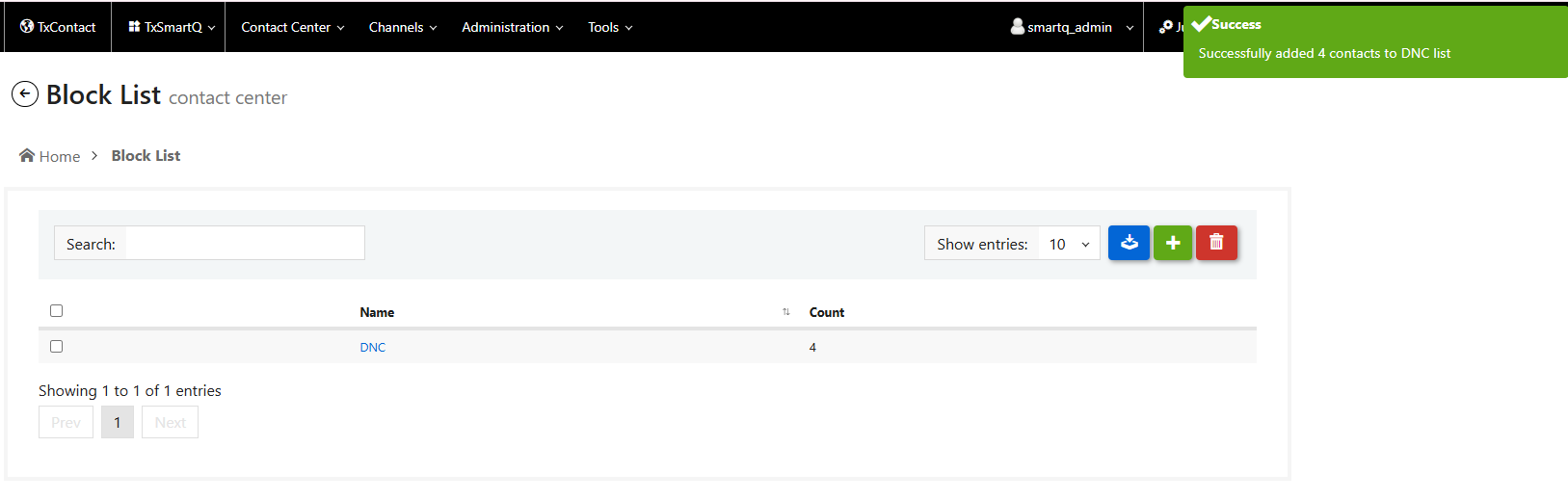
- Click Submit to upload the file and create the block list.
Method 2: Add Contacts Individually
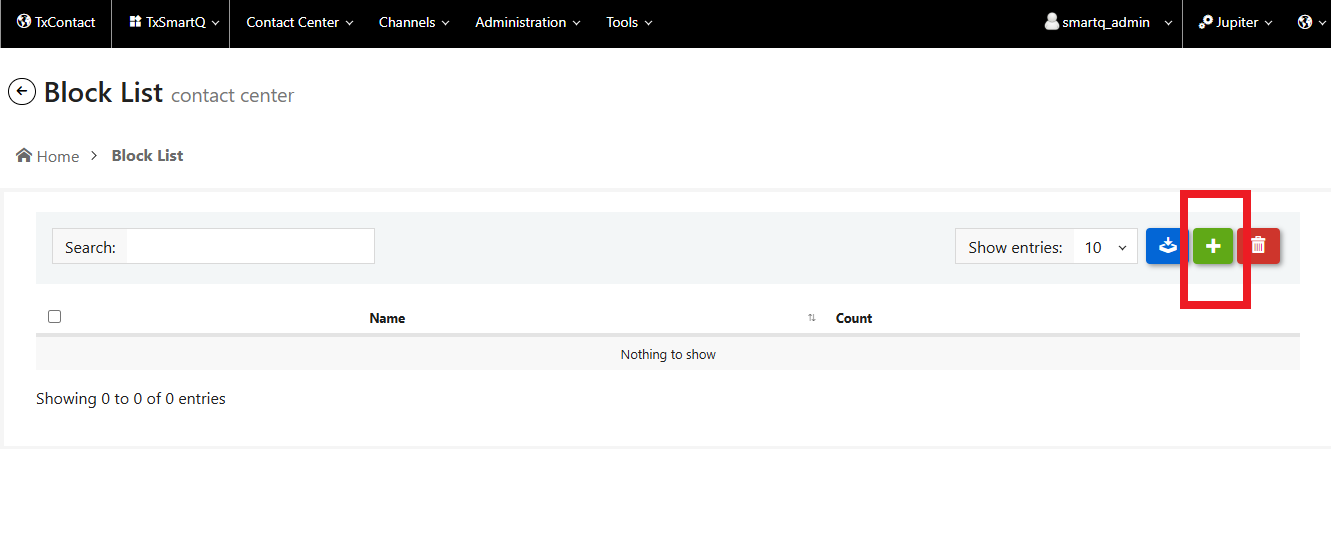
- Enter a List Name
- Select the Contact Type: Phone/Email
- Enter the phone number or email address to be blocked.
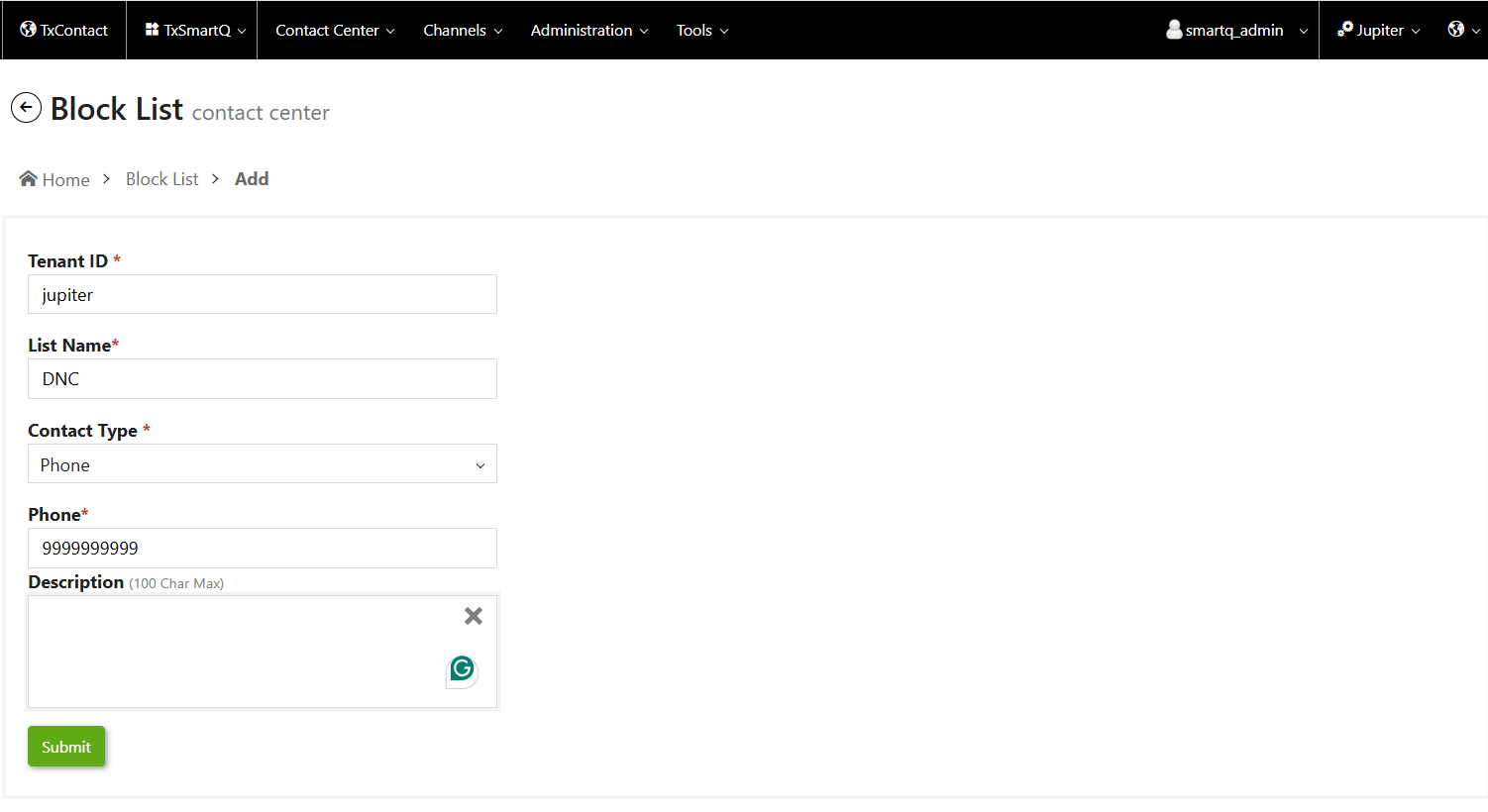
- Click Submit.
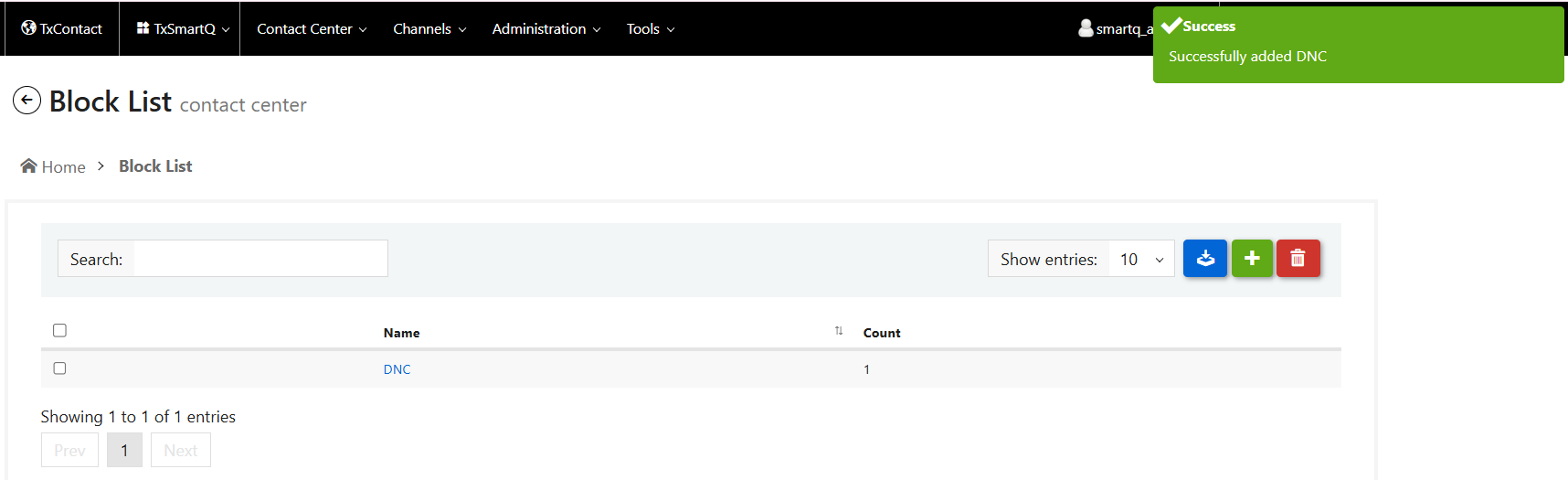
The phone numbers or email addresses added to the Block List will be blocked as per the configured settings.
Did you find it helpful?