How to Download Uploaded Contacts Using Export Plus in TxDialer
Overview
The Export Plus option in TxDialer allows users to download the contacts that have been uploaded to a campaign. This feature is useful for maintaining a backup of campaign data, verifying uploaded records, or sharing contact lists when required.
Prerequisites
1.Access to TxDialer.2.Permission to access the required campaign.
Steps to Download Uploaded Contacts
1. Log in to TxDialer.2. Navigate to the Campaign Listing page.
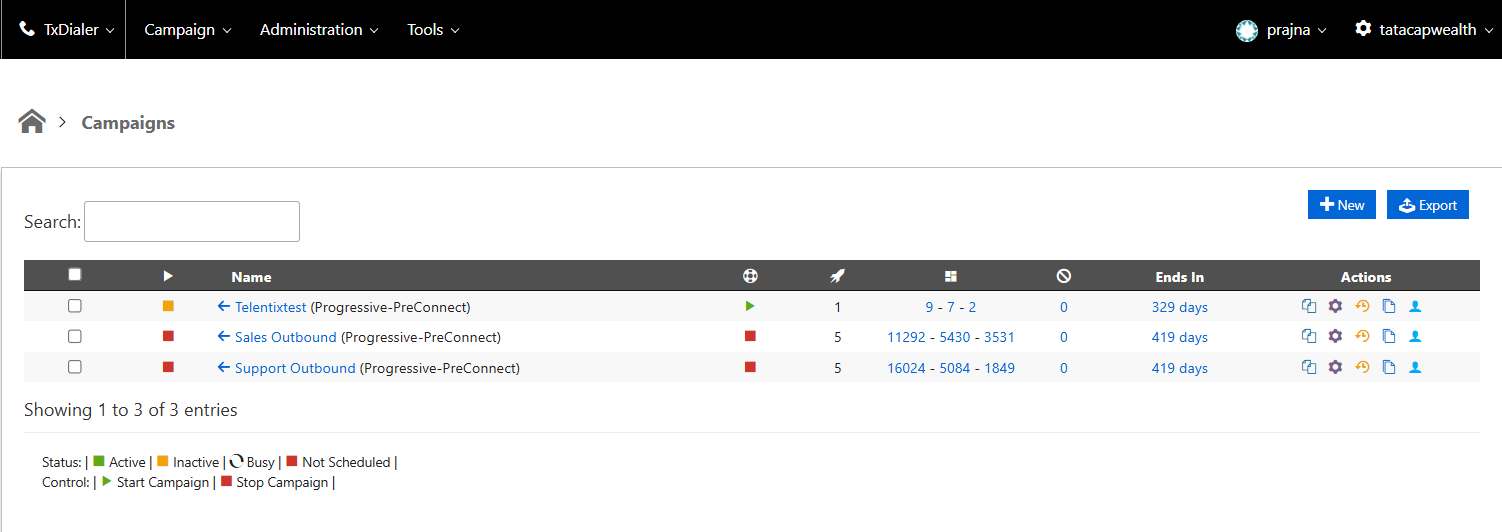
3. Select the required campaign.
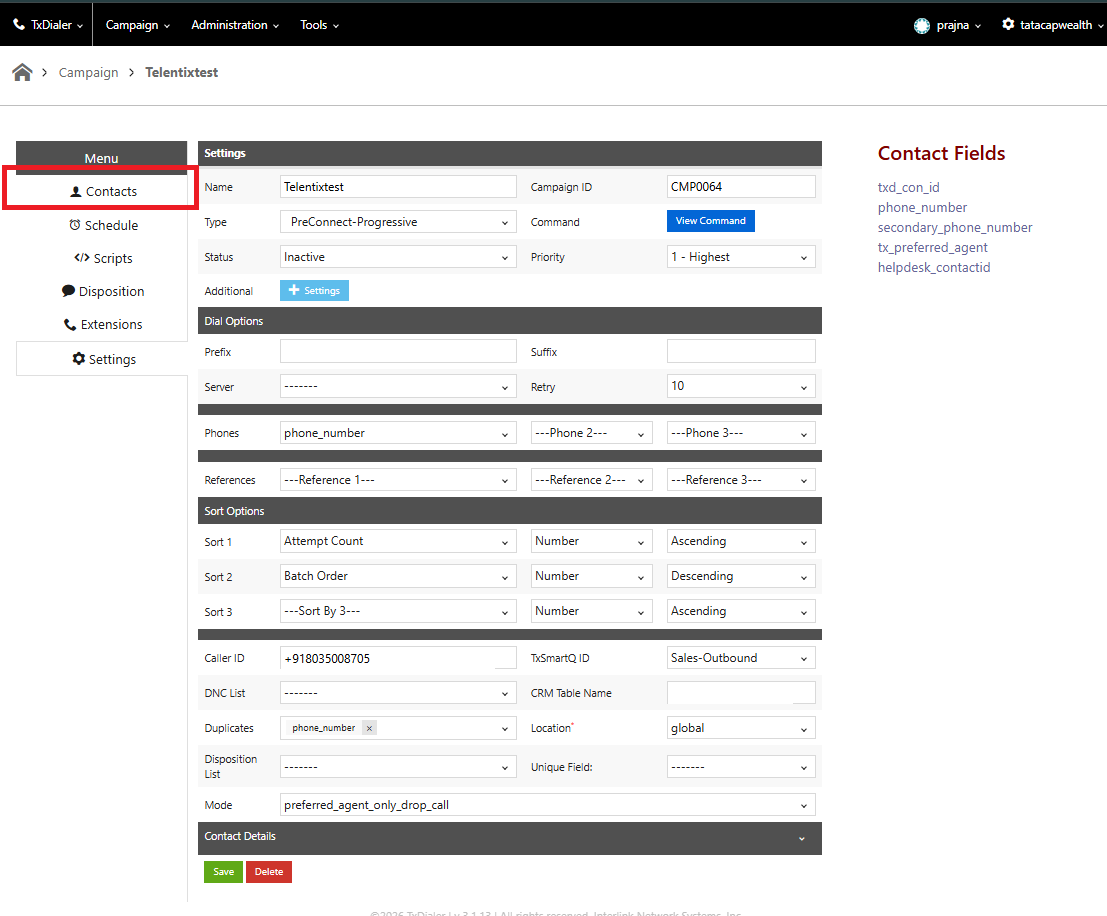
4. You will be redirected to the Campaign Settings and click on Contacts (in the left hand side)
5. Click the Export Options (third) icon and select Export Plus
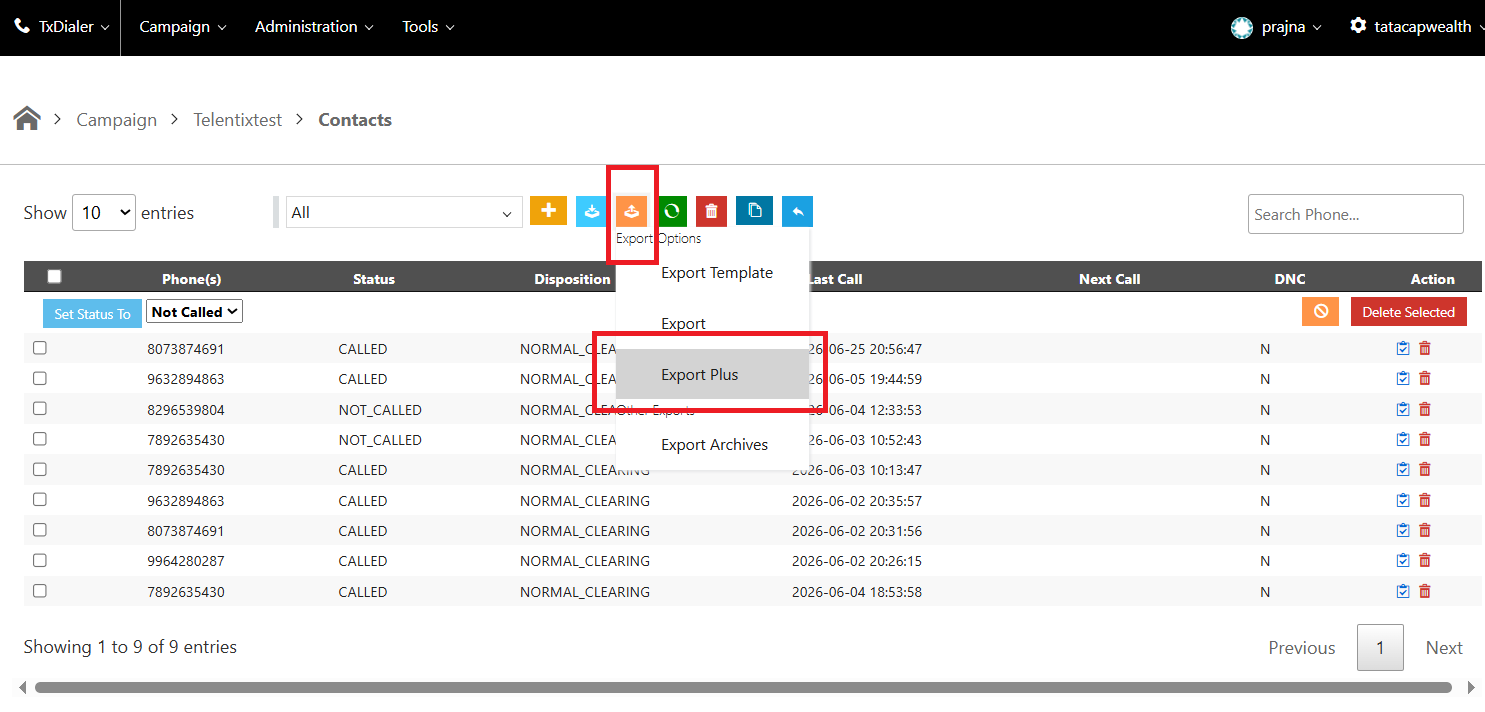
6.The uploaded contacts will be downloaded to your local system.
Expected Outcome
After selecting Export Plus, the system downloads the uploaded contacts for the selected campaign. The downloaded file can be used for verification, backup, or further analysis.
Did you find it helpful?