Form and Contact Field Configuration in Helpdesk
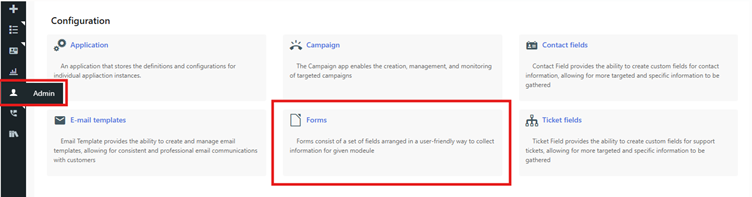
Steps to Create a Form
Steps to Configure Contact Fields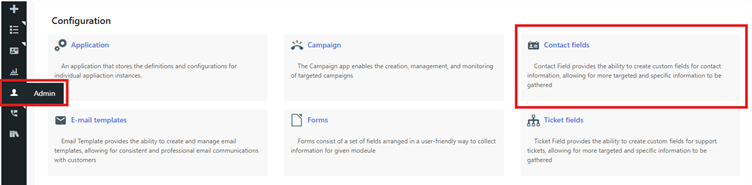
Assign Contact Fields to a Form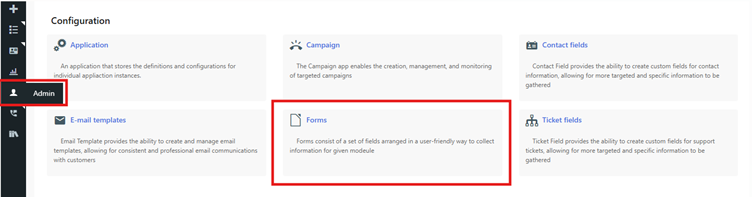

- Log in to the TxHelpdesk Portal.
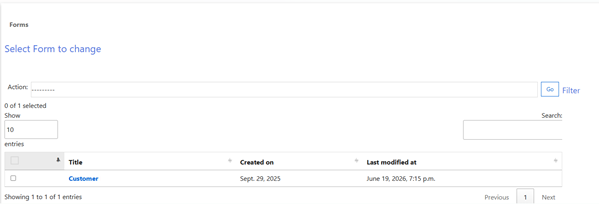
- Navigate to Admin > Forms.
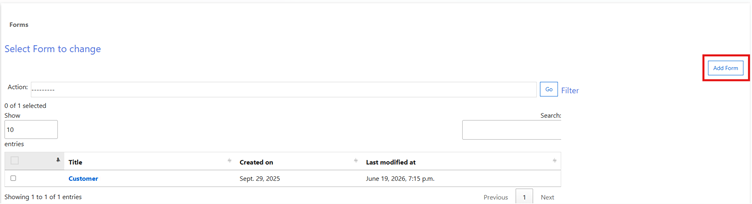
- Click Add Form.
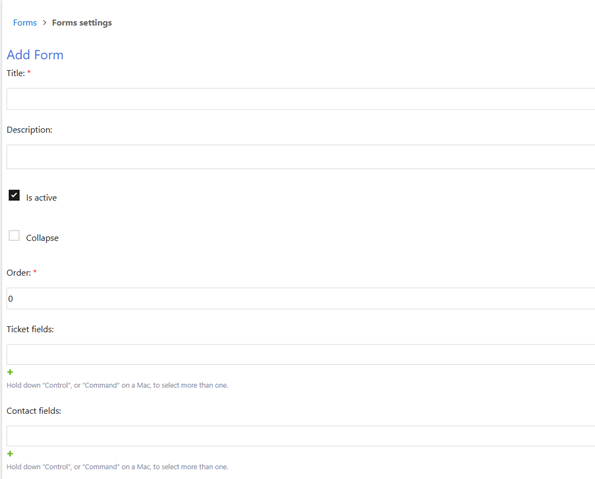
- Enter the required details, such as:
- Form Name
- Other applicable form details
- Click Save to create the form.
Steps to Configure Contact Fields
- Log in to the TxHelpdesk Portal.
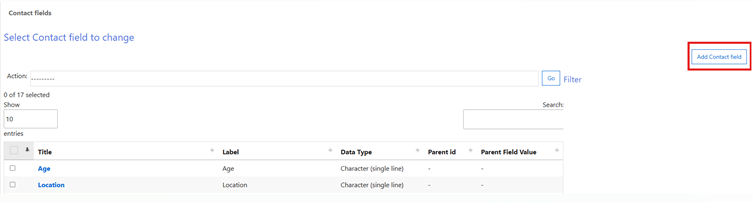
- Navigate to Admin > Contact Fields
- Click Add Contact Fields.
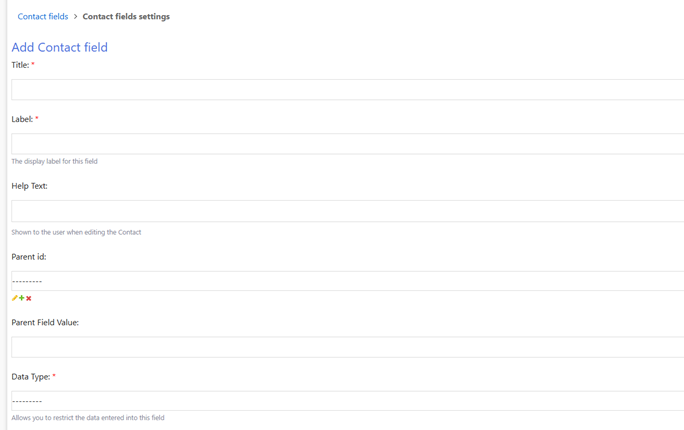
- Enter the required details for the contact field, including:
- Title
- Display Label
- Data Type
- Display Order
- Other applicable details
- Click Save to create the contact field.
Assign Contact Fields to a Form
- Navigate to Admin > Forms.
- Open the required form.
- In the Contact Fields section, select the newly created contact fields.
- Click Save to apply the changes.
Did you find it helpful?