How to Update Ticket Fields in TxHelpdesk?
Overview
This article explains how to update Ticket Fields in TxHelpdesk. Administrators can modify the values available in ticket field dropdowns, such as Lead Source Lists and Location, by updating the List Values field through the Admin access.
Steps to Update Ticket Fields
Step 1: Open the Admin Portal
Log in to TxHelpdesk and click on the Admin icon.
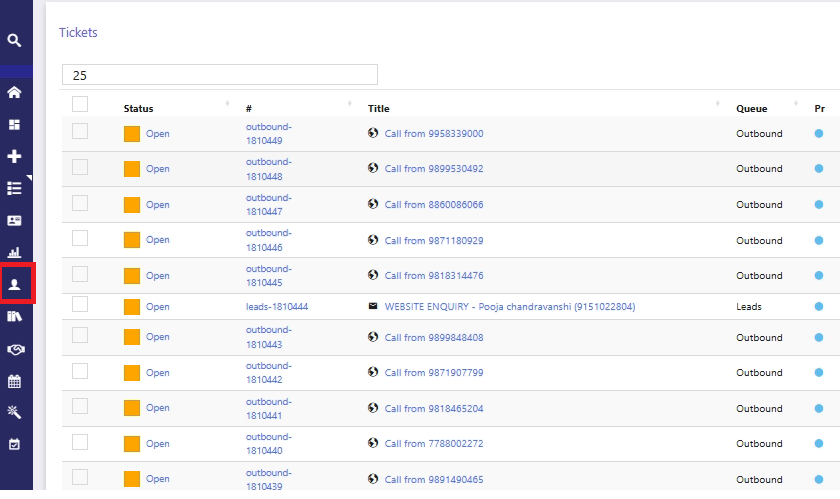
Step 2: Navigate to Ticket Fields
Search for the Ticket Fields and click the List button.
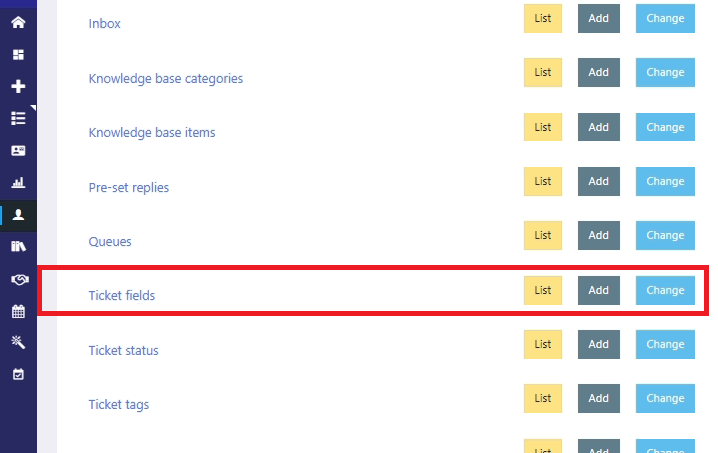
Step 3: Select the Ticket Field
Select the ticket field that you want to update, such as Lead Source Lists or Location.
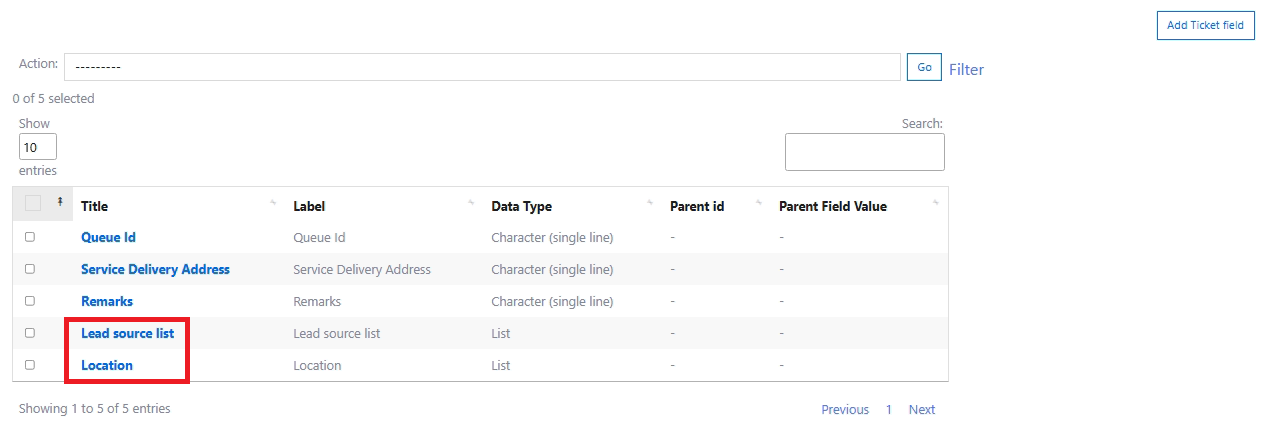
Step 4: Update the List Values
Click on the required ticket field and update the values in the List Values field.
Note: Each value must be entered on a new line. Please refer to the screenshot below for reference which is configured for Location.
If the location is Delhi/NCR, add it as:
Delhi_NCR
If the locations are Delhi and NCR as separate, add them on separate lines as shown below:
Delhi
NCR
