TxHelpdesk

  • Login
  • Submit a Ticket
  • Knowledge Base
© 2026 TxHelpdesk
Knowledge Base
  • Knowledge Base
  • TxRecord
  • How to check Recordings …
How to check Recordings Older Than 365 Days
0 recommendations  | 15 views

1. Log in to the TxRecord portal.
2. Apply the necessary filters, including the required contact number.
3. 
Select the “Search Archived Records” checkbox.
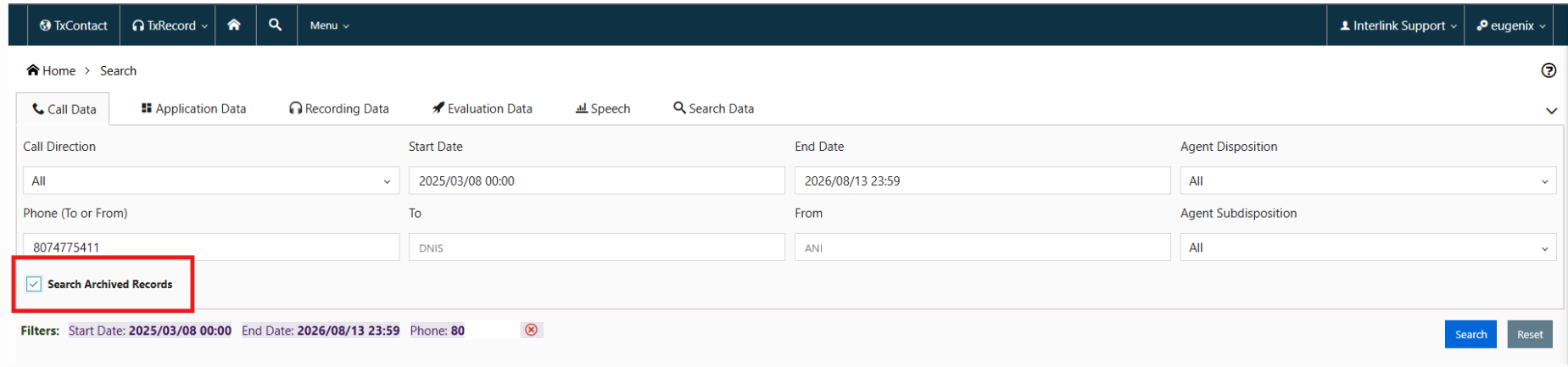


4. Click the Search button.
5. 
The recordings older than 365 days will be displayed in the search results.
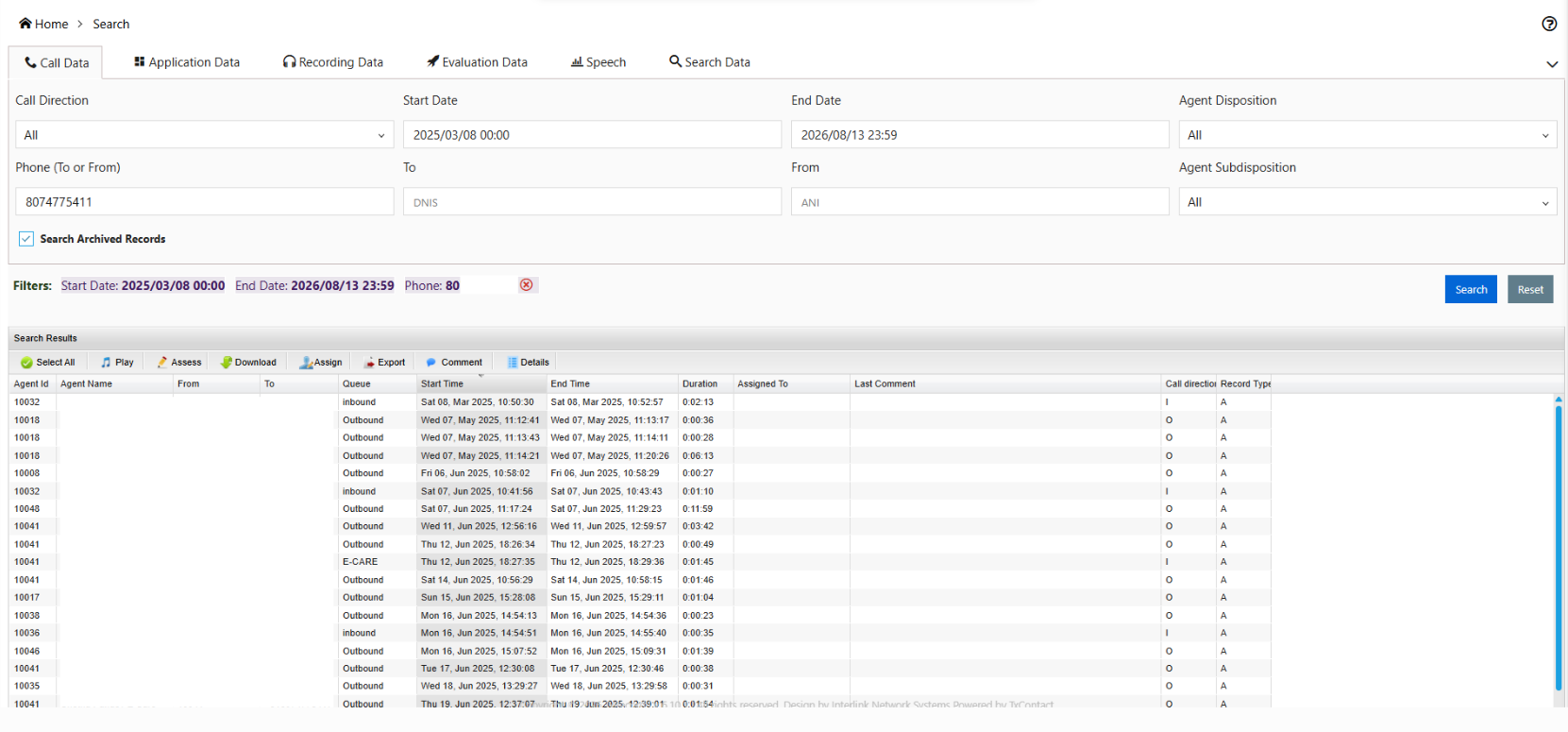
Note: Recordings are moved to the archived records after 365 days.

Did you find it helpful?
Share
Other TxRecord Articles
  • What is the call recording size and recordin…
  • How to Assess recording in TxRecord?
  • How to Configure TxRecord Storage
  • How to search recordings?
  • How to access agent call recordings
Categories
  • C - Tools
  • Chirp
  • CRM Integrations
  • Drawflow
  • General
  • Headset troubleshooting
  • TxChat
  • TxContact
  • TxContact App
  • TxDialer
  • TxHelpdesk
  • TxRecord
  • TxReport
  • TxScreenCapture
  • TxSmartQ
  • TxTalk
  • TxTalk Web
  • User Manual
  • Zoho