How to transfer a bot to live agent in drawflow
Drawflow
Drawflow is an advanced conversational AI platform. It helps you build virtual agents and complex chatbots using a visual state-machine approach. It is designed for large-scale applications with explicit control over multi-topic dialogue paths.
Core Components
• Text Field: Allows users to enter single-line text. It is used to capture text-based information from the customer.
• Multiselect: Provides users with multiple options and allows them to select their desired flow or action.
• Condition Check: Evaluates a condition based on the customer's input and determines the next step in the flow.
• Transfer Chat: Transfers the existing conversation to a specific queue so the customer can interact with a live agent.
• Web Request: Executes API calls within the flow, captures the response, and stores it in a variable for further processing.
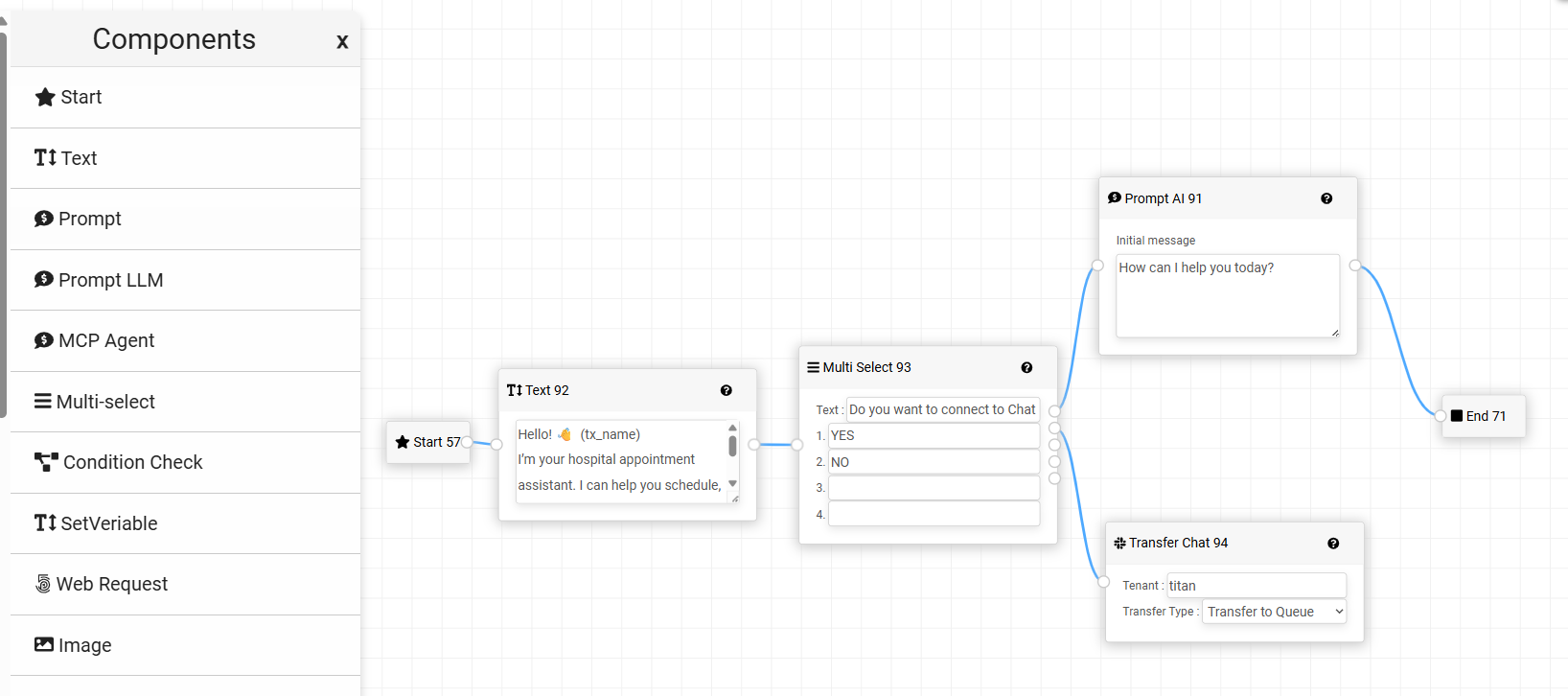
Steps to Route a Bot to a Live Chat
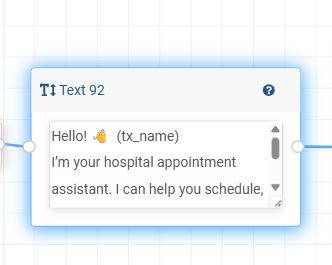
• Add a Text Field: Drag and drop a Text Field component into the flow. Define the message or prompt that you want the customer to see and read.
• Add a Multiselect: Drag and drop a Multiselect component to provide customers with different options. Configure the options based on the flows or services you want to offer.
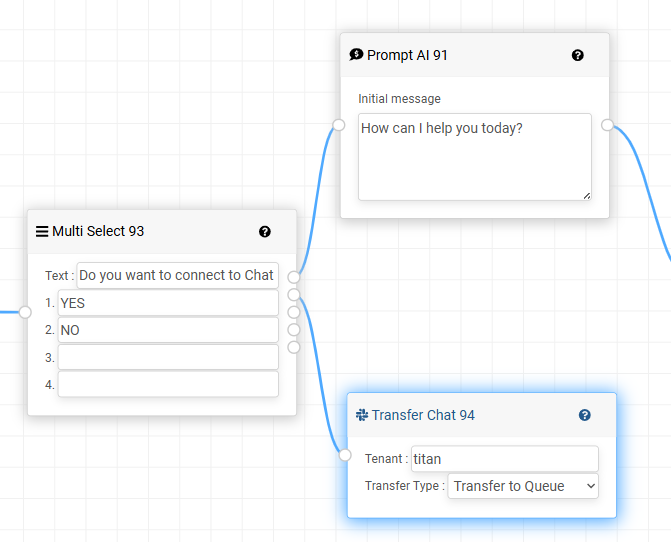
• Add Transfer Chat: Drag and drop the Transfer Chat component into the appropriate flow. Configure the routing based on the option selected by the customer.
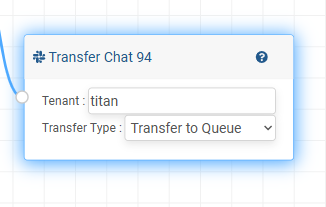
• Configure Tenant and Chat Queue: In the Transfer Chat component, specify the required Tenant and Chat Queue details. This determines which live-agent queue will receive the transferred conversation.
• Test the Flow: Test each option to ensure that the customer is routed to the correct flow and transferred to the appropriate chat queue when required.
Did you find it helpful?