How to create Agents in TxSmartq Portal - Sutherland ?
To Create Agents in TxSmartq Portal :
Step 1: Login to Smartq Portal.
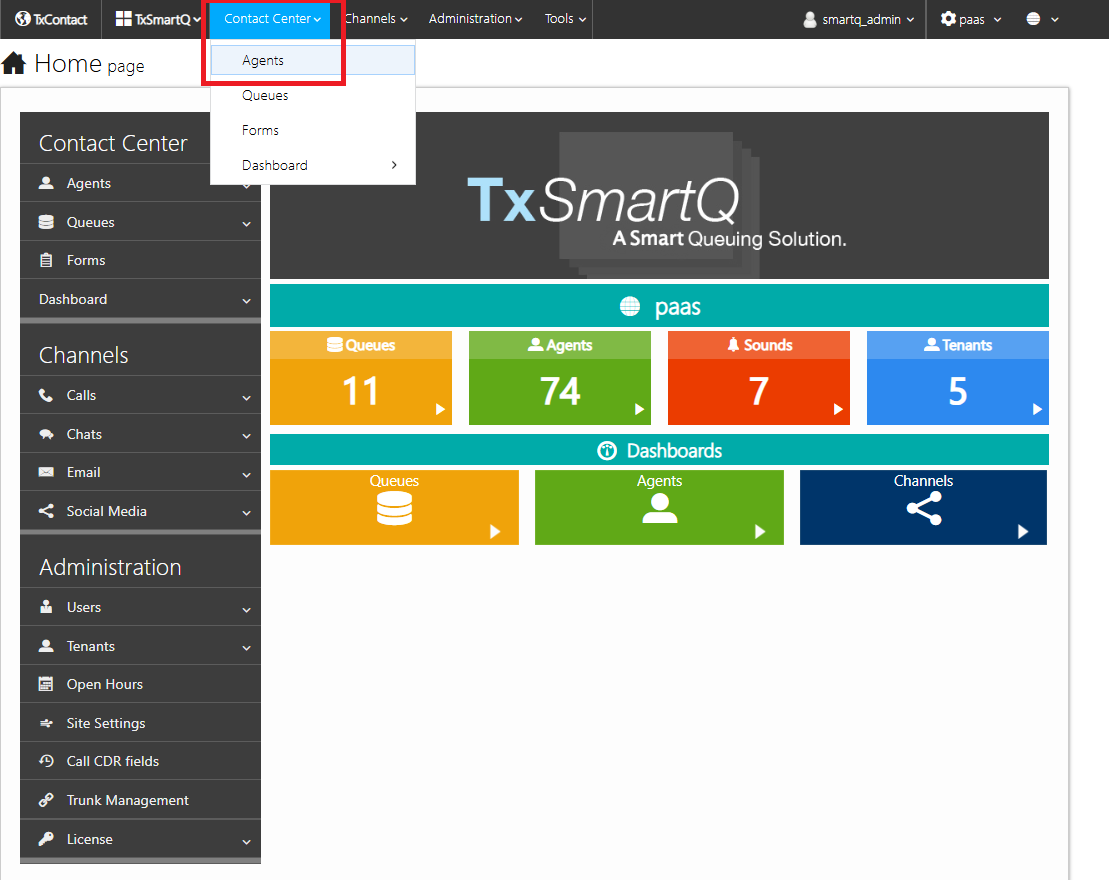
Step 2 : Navigate to Contact Center > Agents
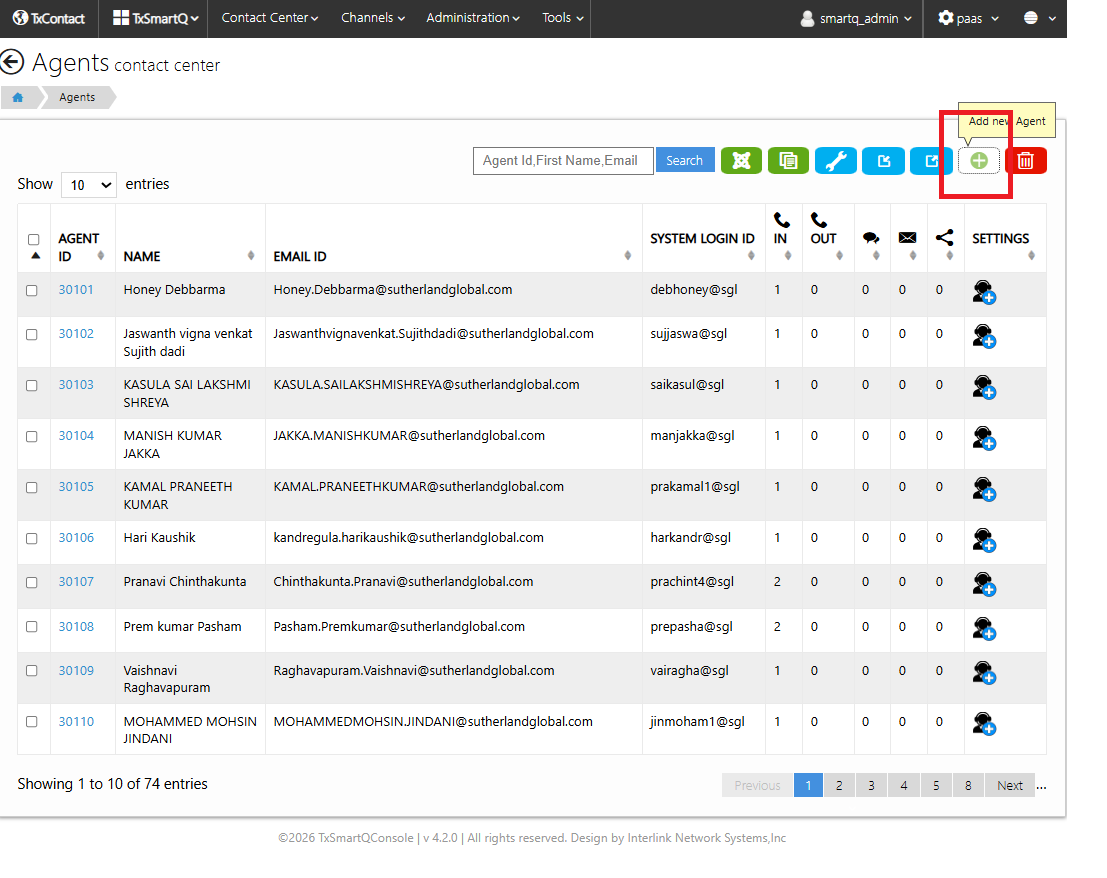
Step 3: Click on + icon (Add new agent)
Step 4: Add the necessay information and click Save. The agent account will be created
Step 1: Login to Smartq Portal.
Step 2 : Navigate to Contact Center > Agents
Step 3: Click on + icon (Add new agent)
Step 4: Add the necessay information and click Save. The agent account will be created
Did you find it helpful?