How to add Disposition and Sub-disposition in TxDialer ?
Overview :
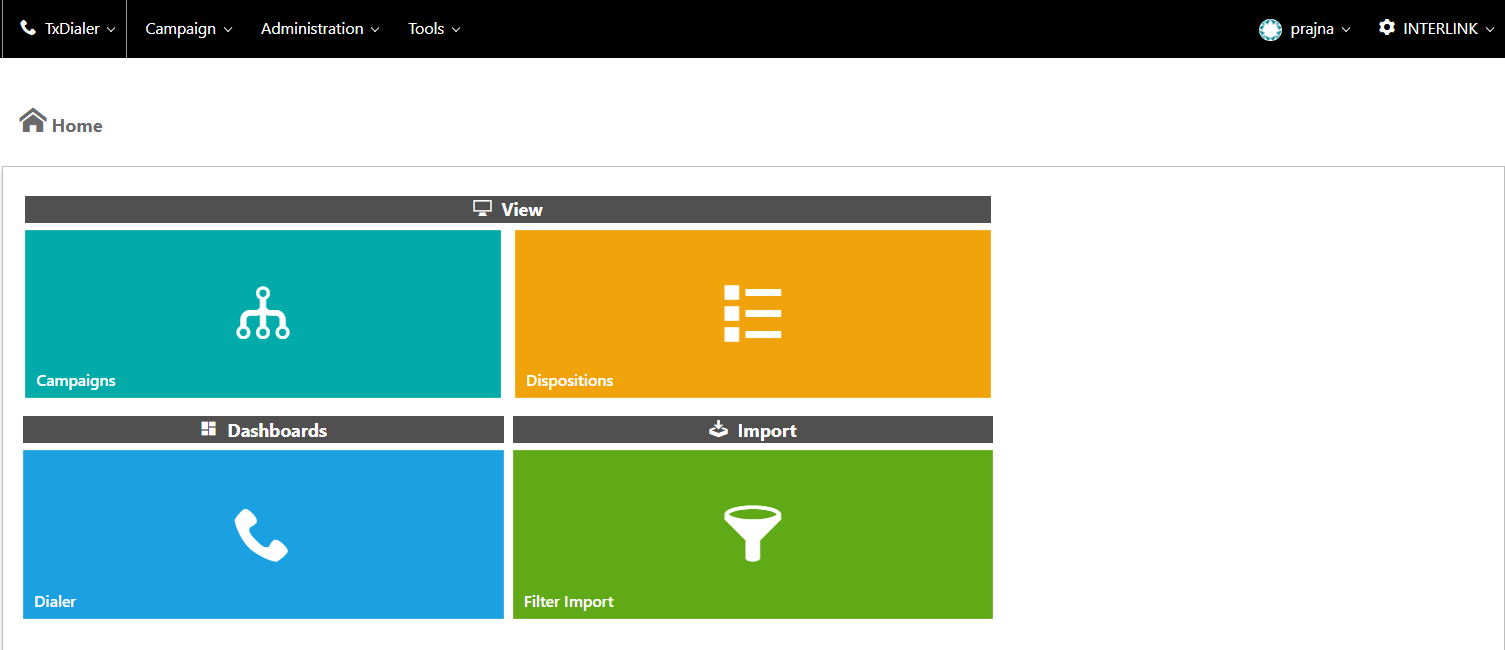
Step 1 : Login to TxDialer and Navigate to Dispositions
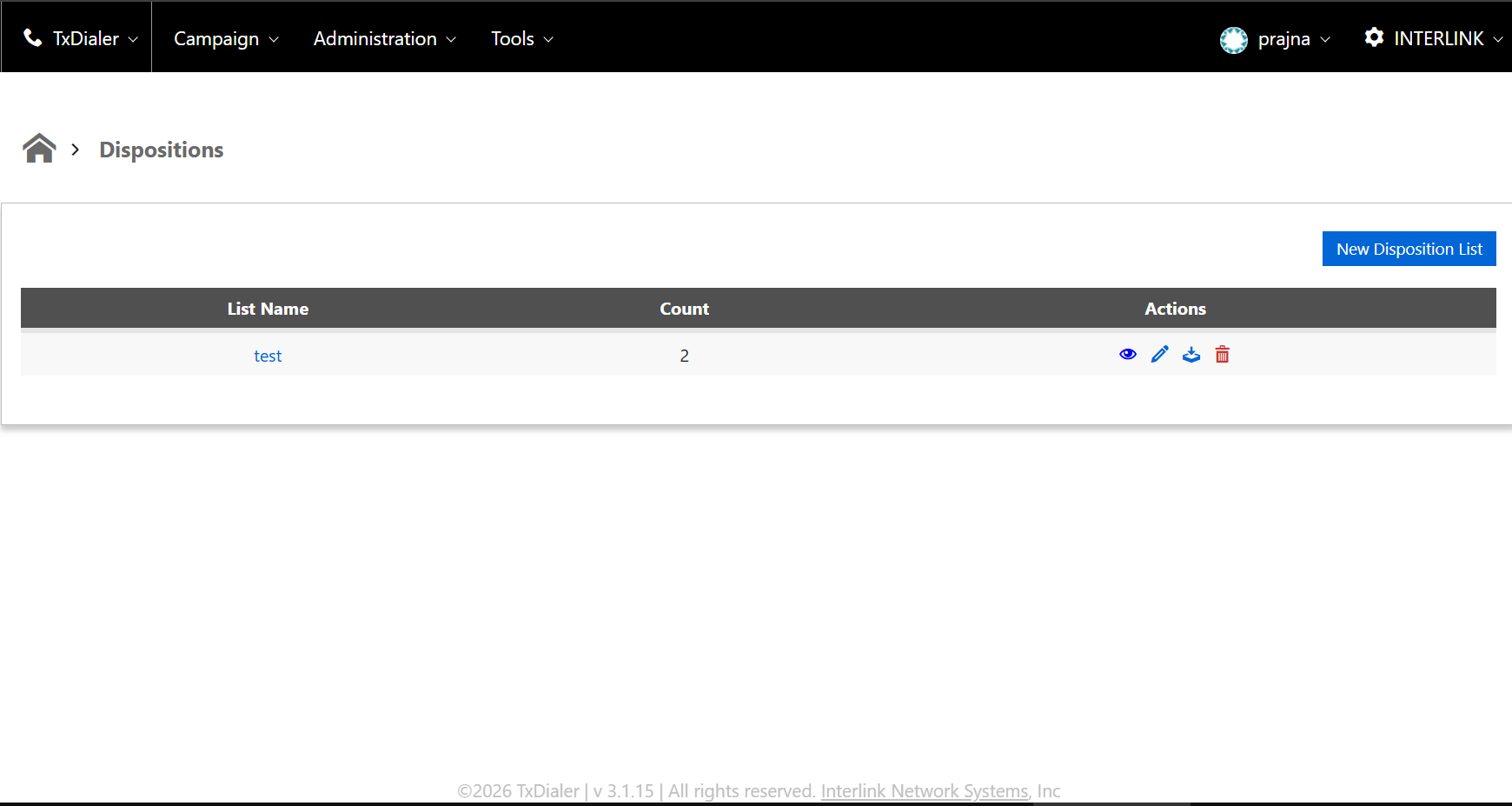
Step 2 : Click on New Disposition List
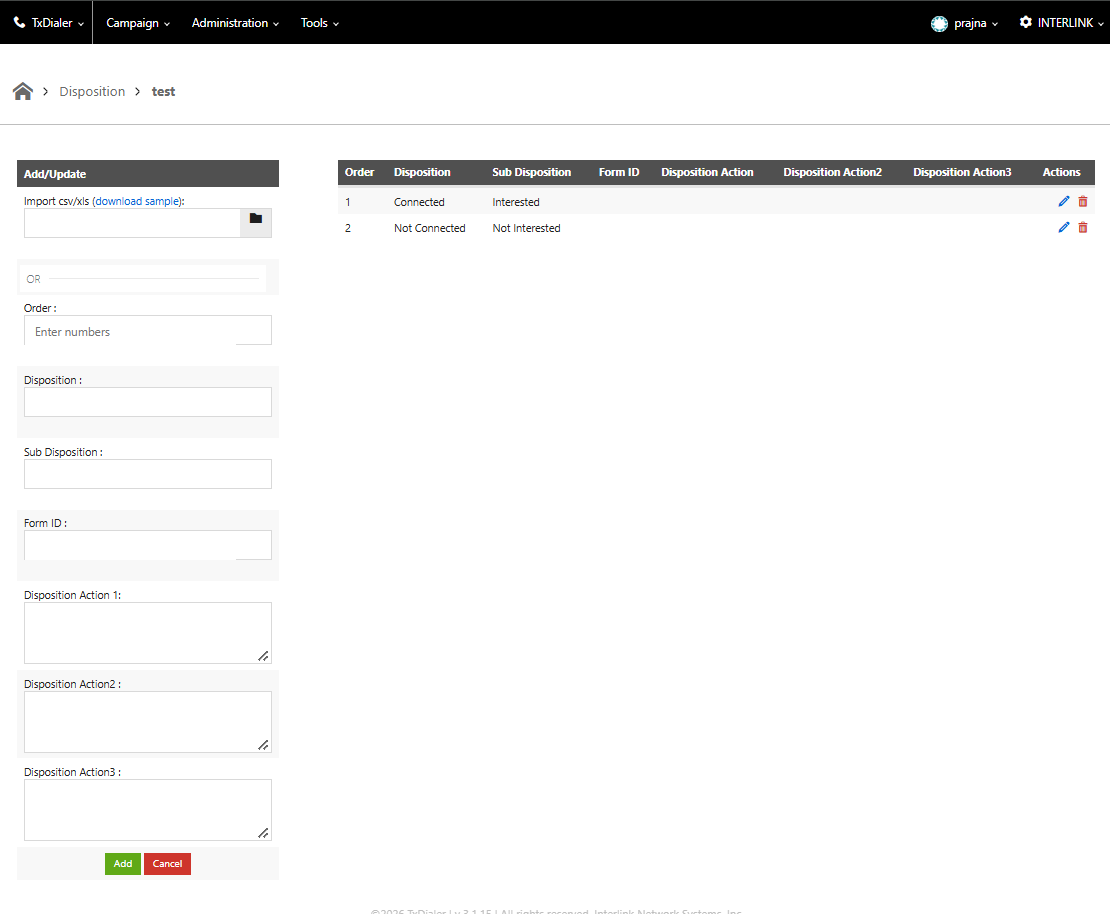
Step 3: Import a CSV file or use download sample and add Dispositions and Subdispositions as shown below in the screenshot
Step 4 : Click on "Add"
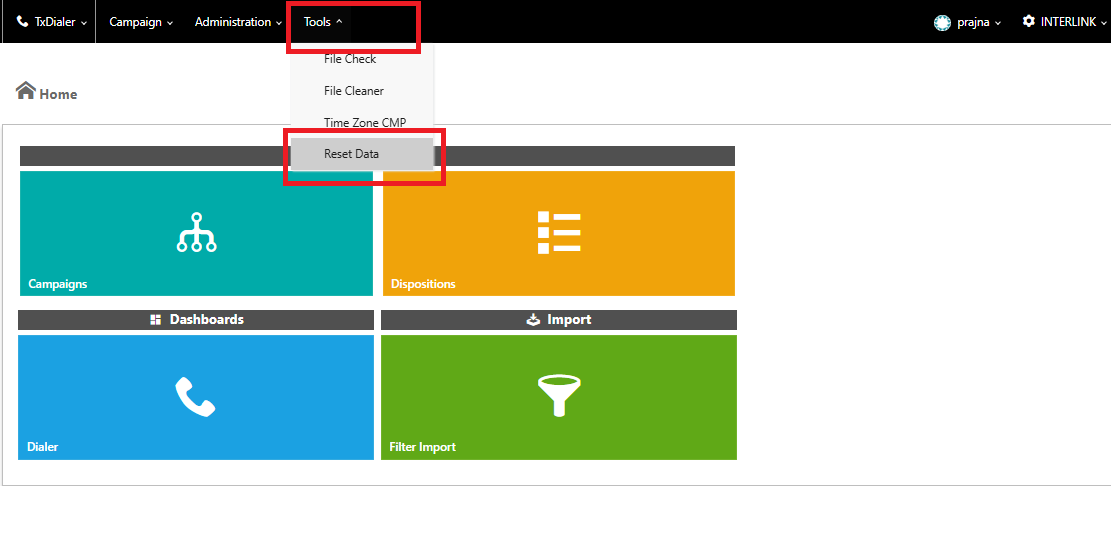
Step 5: Navigate to Tools > Reset data
This article explains how to create a new Disposition List in TxDialer by importing a CSV file or manually adding Dispositions and Subdispositions using the sample template.
Step 1 : Login to TxDialer and Navigate to Dispositions
Step 2 : Click on New Disposition List
Step 3: Import a CSV file or use download sample and add Dispositions and Subdispositions as shown below in the screenshot
Step 4 : Click on "Add"
Step 5: Navigate to Tools > Reset data
Did you find it helpful?