How do I find out the Chirp version?
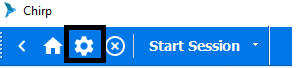
Step 1: Click on the settings icon highlighted in the below image
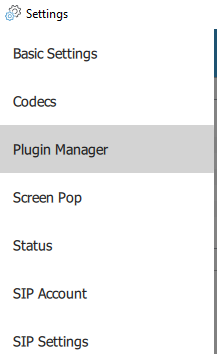
Step 2:Select The plugin Manager option from menu as highlighted in the below image
Step 3: You should be able to check the chirp version as below
Step 2:Select The plugin Manager option from menu as highlighted in the below image
Step 3: You should be able to check the chirp version as below

Did you find it helpful?