How to Configure Call Routing Rules in VoipGateway – GSM (Bansal)
Overview
The Call Routing Rule feature in VoipGateway allows administrators to control how incoming and outgoing calls are routed through the system. Using routing rules, calls can be directed to specific providers, trunks, destinations, or forwarding numbers based on predefined conditions.
Step 1: Navigate to Call Routing Rules
-
Log in to the VoipGateway portal.
-
From the left-side navigation menu, go to:
Routing → Call Routing Rules
-
Click on Create New Rule.
Basic Routing Configuration
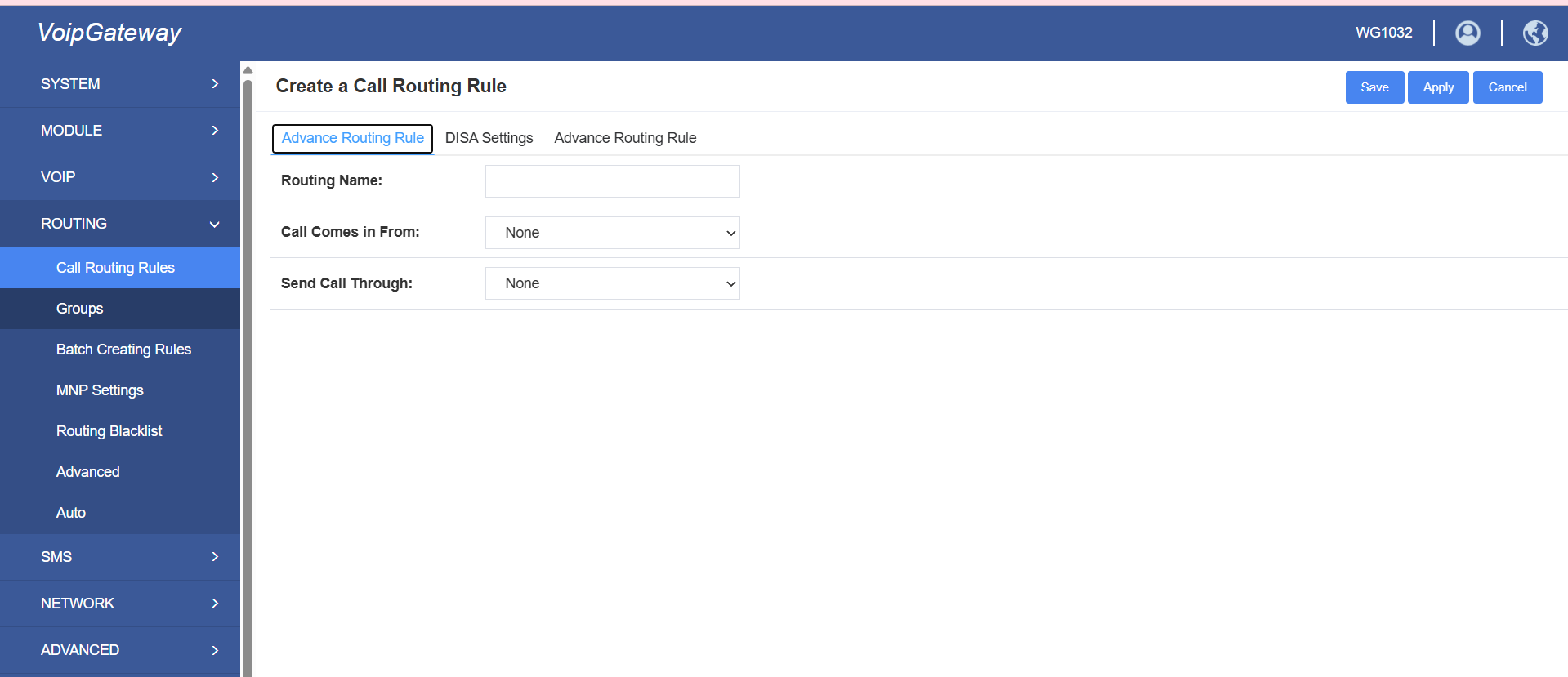
The following screen allows you to configure the primary routing settings.
Field Descriptions
| Field | Description |
| Routing Name | Enter a unique name for the routing rule. |
| Call Comes in From | Select the incoming provider, trunk, or source where calls originate (basically the port number). |
| Send Call Through | Select the outbound provider or destination route for the calls. |
-
Click on Save after entering the required details.
Step 2: Configure Advanced Routing Rules
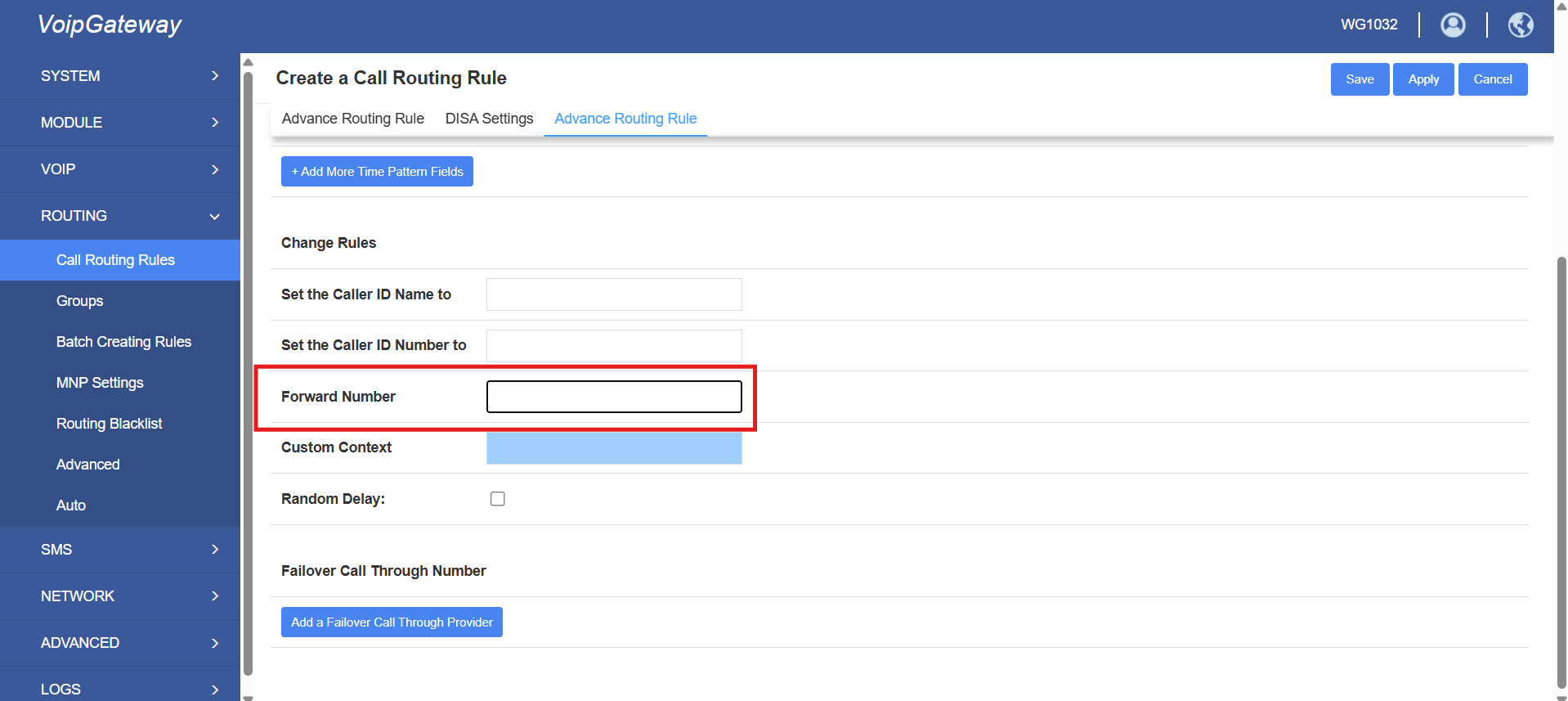
Select the Advance Routing Rule tab to configure advanced call handling options.
Call Forwarding
| Field | Description |
|---|---|
| Forward Number | Enter the destination number where calls should be forwarded. |
Step 3: Save and Apply
After completing all required fields:
-
Click Save to store the configuration.
-
Click Apply to activate the routing rule.
View Created Routing Rules
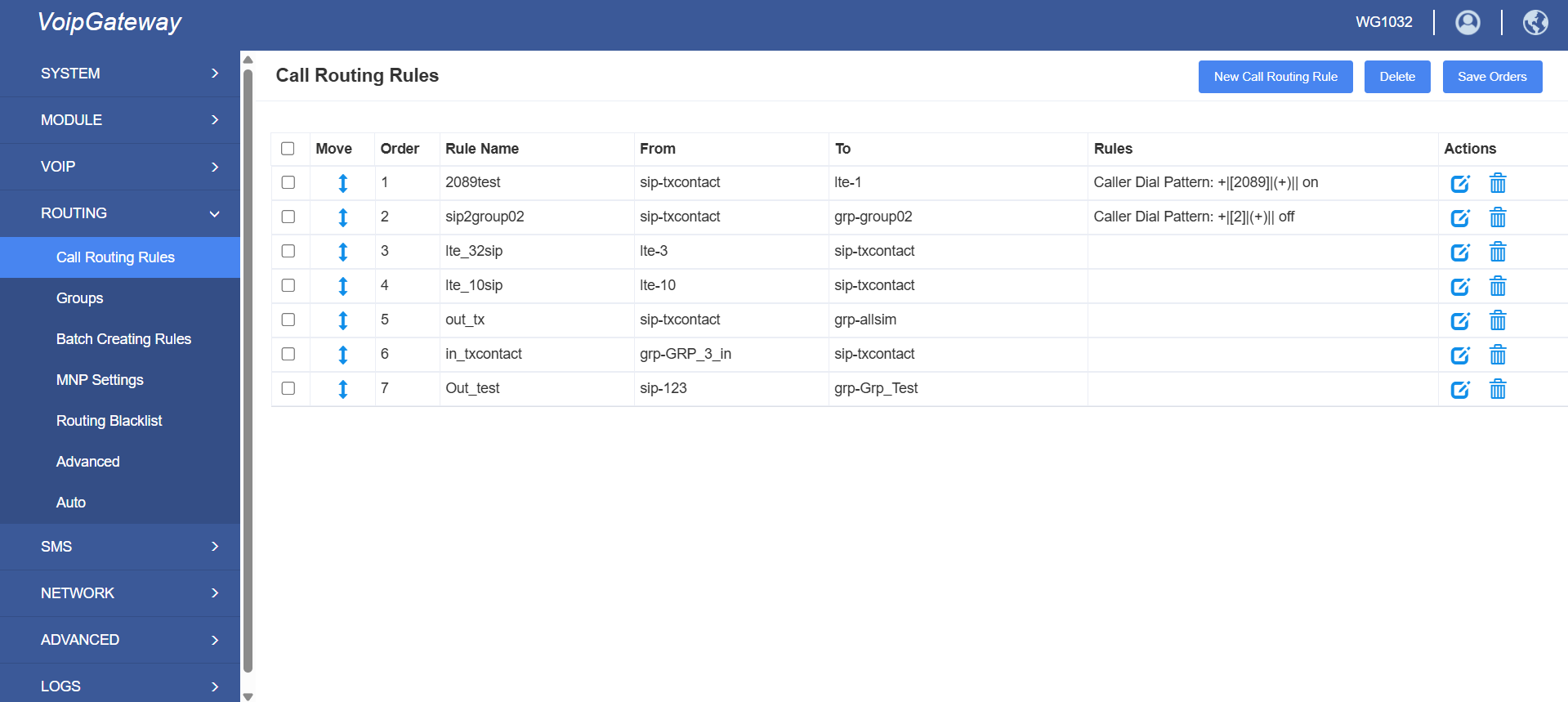
Once the rule is created, you will be able to view the list of configured routing rules as shown below: