How to test Gateway Registration Through Chirp
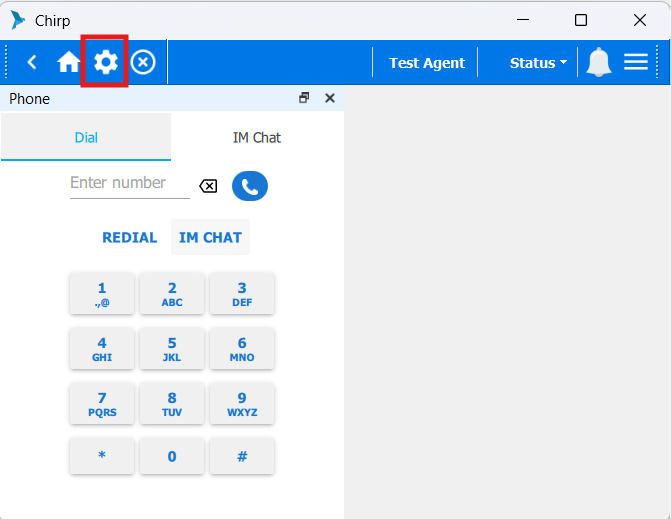
1. Login to Chirp and click on Settings.
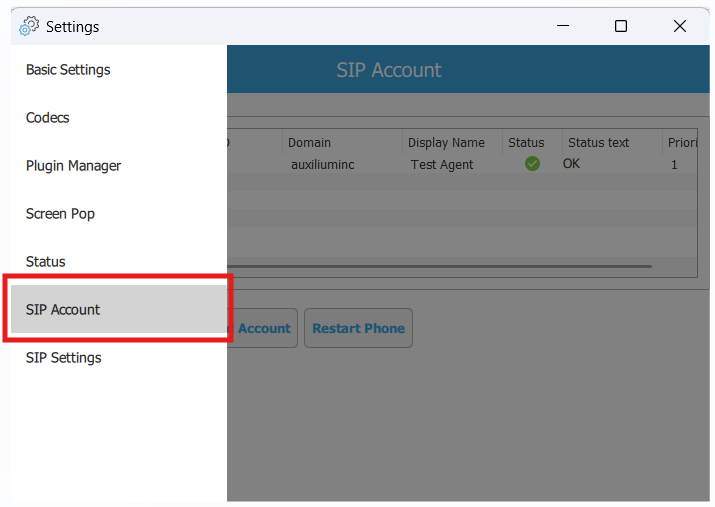
2. Go to SIP account
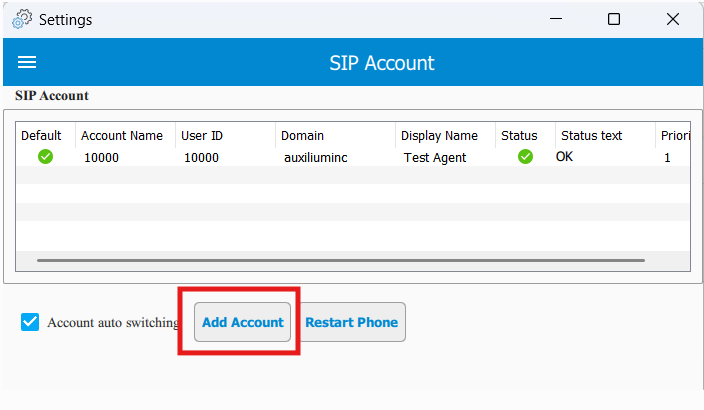
3. Click Add Account.
3. Enter the following details based on the Freeswitch SIP profile (within the Xml file):
Account Name: onestop
Username: SIP username
Password: SIP password
Domain: SIP domain
Display Name: SIP display name
Proxy: onestop.txcontact.com
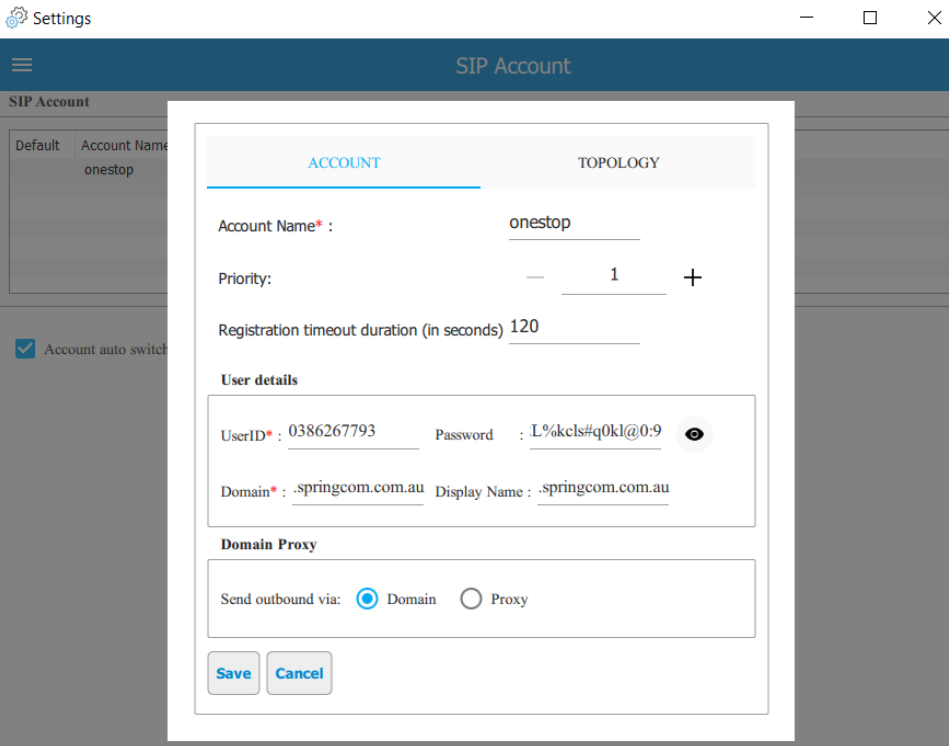
5. Click Save.
6. Right-click the onestop account and select Register.
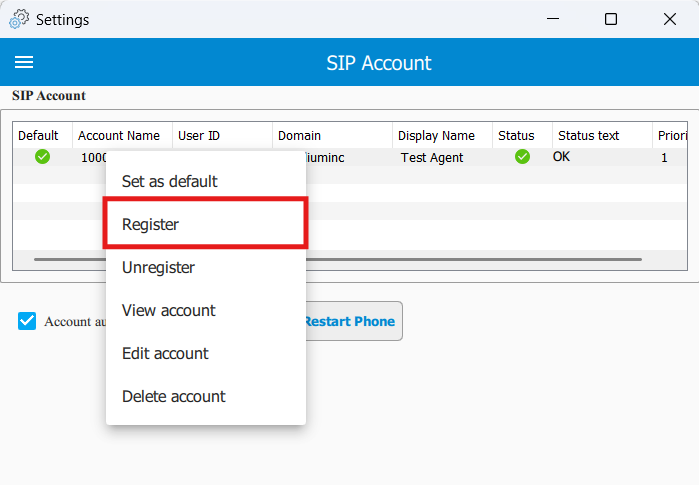
7. Verify the registration status:
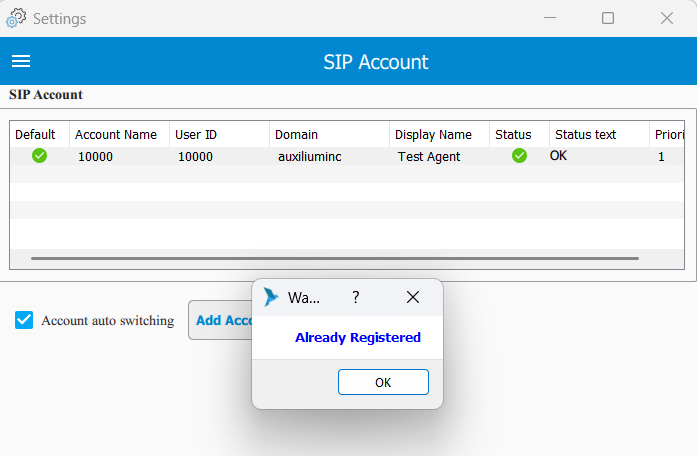
--> If it is Registered: Already registered(Green right icon).
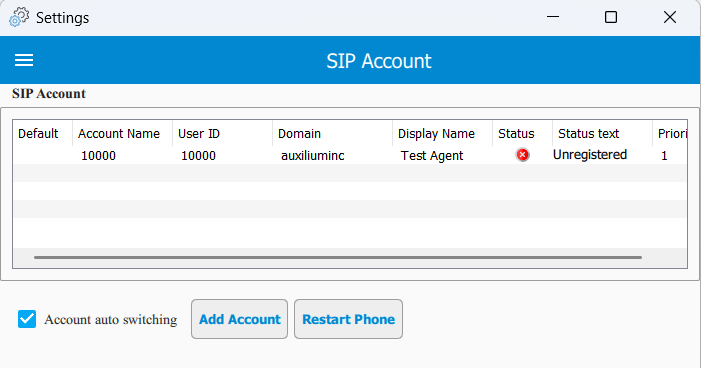
--> If it is Unregistered: Unregistred (Red cross icon).
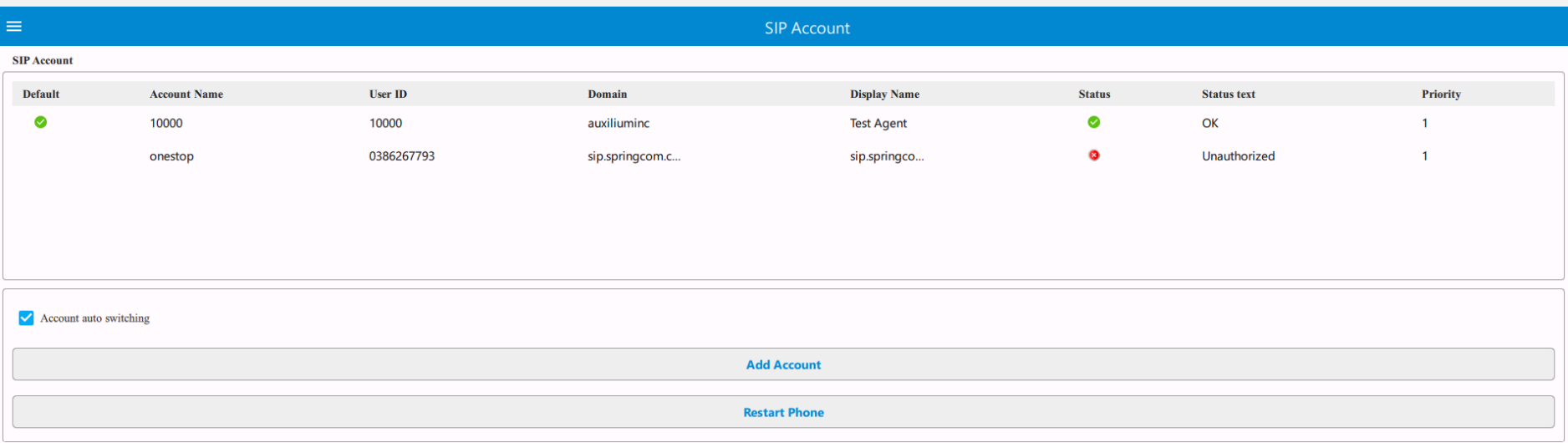
--> If the username, password, domain, or proxy value is incorrect, the gateway will not be registered. The status will show the reason for the registration failure as Unauthorised.
2. Go to SIP account
3. Click Add Account.
3. Enter the following details based on the Freeswitch SIP profile (within the Xml file):
Account Name: onestop
Username: SIP username
Password: SIP password
Domain: SIP domain
Display Name: SIP display name
Proxy: onestop.txcontact.com
5. Click Save.
6. Right-click the onestop account and select Register.
7. Verify the registration status:
--> If it is Registered: Already registered(Green right icon).
--> If it is Unregistered: Unregistred (Red cross icon).
--> If the username, password, domain, or proxy value is incorrect, the gateway will not be registered. The status will show the reason for the registration failure as Unauthorised.
Did you find it helpful?