How To Delete Browser Cache
Google Chrome
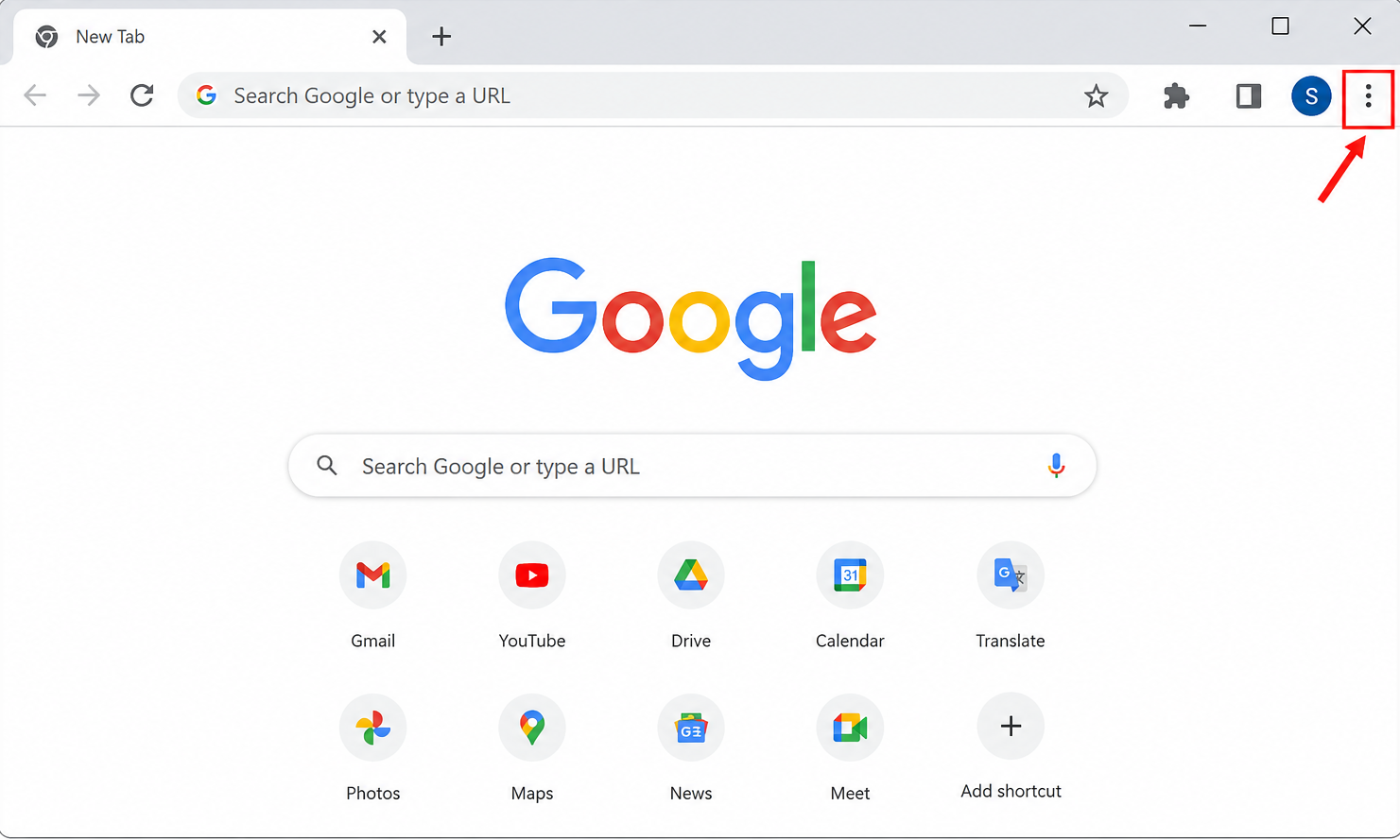
1. Click the ⋮ (three dots) in the top-right corner.
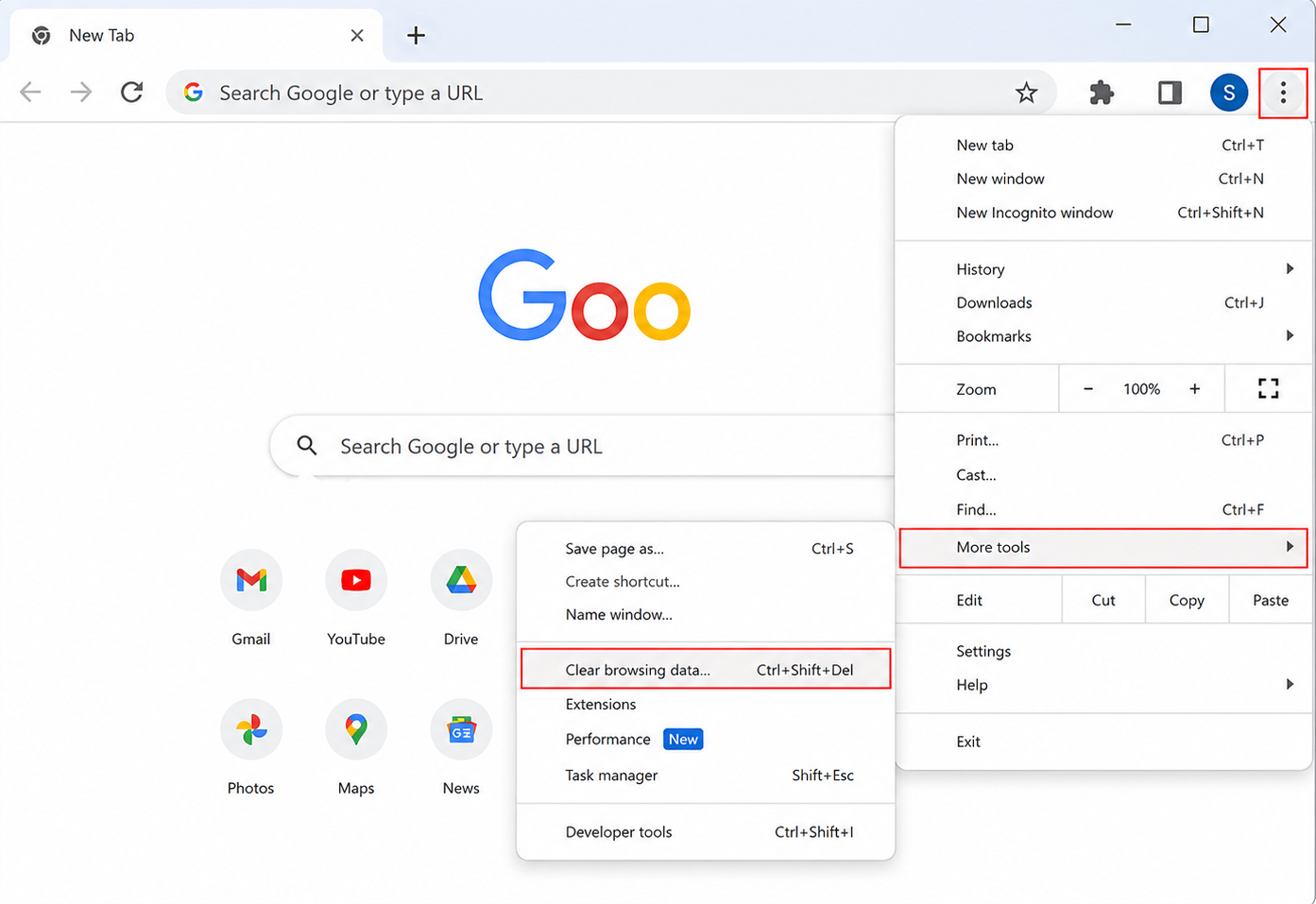
2. Select Delete browsing data (or More tools > Clear browsing data).
3.Choose a Time range (select All time if you want to clear everything).
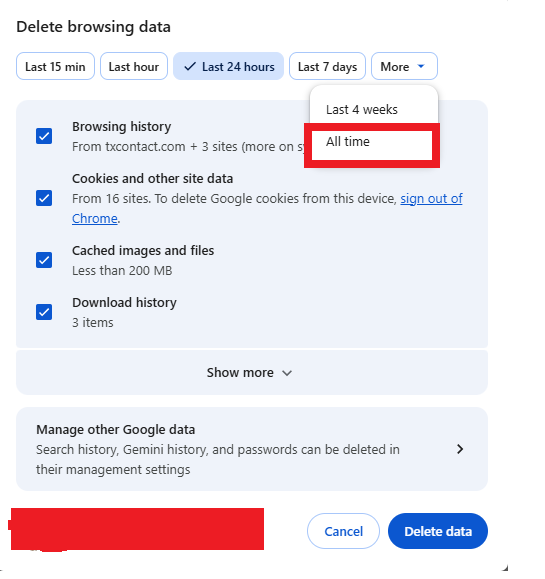
Check Cached images and files (you can leave Cookies unchecked if you don't want to sign out of websites).
Click Delete data.
1. Click the ⋮ (three dots) in the top-right corner.
2. Select Delete browsing data (or More tools > Clear browsing data).
3.Choose a Time range (select All time if you want to clear everything).
Check Cached images and files (you can leave Cookies unchecked if you don't want to sign out of websites).
Click Delete data.
Did you find it helpful?