How to get ZOHO CLIENT ID and CLIENT SECRET?
Getting the Client ID and Client Secret is fairly straightforward.
-
Log in to your Zoho account using the following URL:
https://api-console.zoho.com/
- Once logged in, you can create an application(client) and obtain the Client ID and Client Secret required for authentication.
Firstly Register a client
- Goto zoho developer console
- Choose the client type
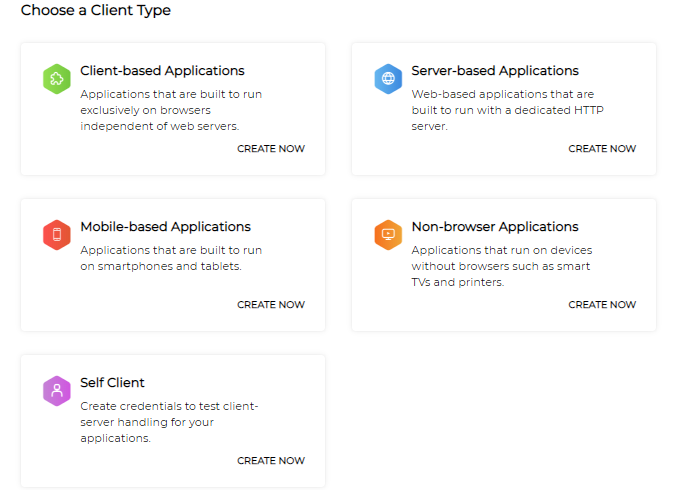
- Select Server-Based Applications
- Enter the following details:
- Client Name: The name of your application you want to register with Zoho. ( Ex: "TxContact Markus" )
- Homepage URL: The URL of your web page. ( Ex: "https://tepro.txcontact.com/" )
- Authorized Redirect URIs: ( Ex: "https://tepro.txcontact.com/zoho/getZohoCode" ) A valid URL of your application to which Zoho Accounts redirects you with a grant token(code) after successful authentication. Redirect URI is most important, add valid domains like "https://tepro.txcontact.com/zoho/getZohoCode"
- Click CREATE.
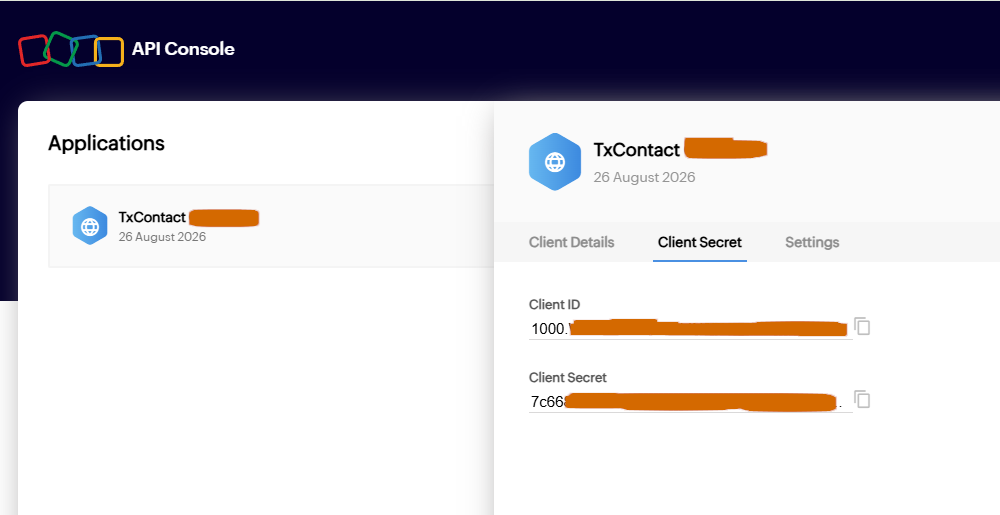
- You will receive the following credentials:
- Client ID: The consumer key generated from the connected app.
- Client Secret: The consumer secret generated from the connected app.
Did you find it helpful?